How To Hire a WordPress Developer Without Scope Creep
Use this guide to hire a WordPress freelancer for business sites, WooCommerce, speed, security, and handoff without vague scope or surprise revisions.
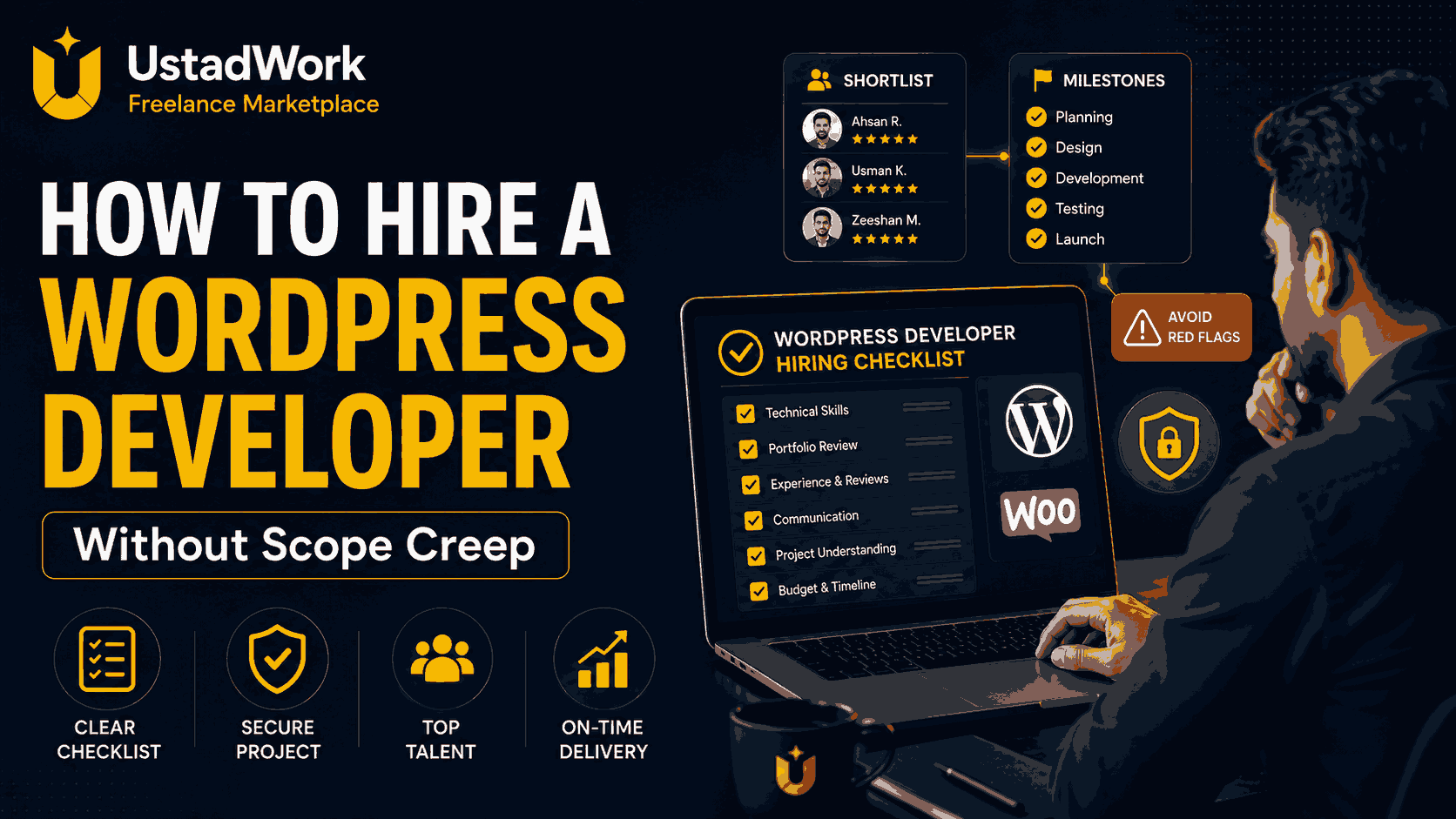
How To Hire a WordPress Developer Without Scope Creep
Hiring a WordPress developer is not hard. Hiring the right person without letting the project become unclear, delayed, and expensive is the real challenge. Scope creep usually starts before any design or development begins. The business goal is vague, required pages are not listed, integrations are not named, revision limits are unclear, and nobody has agreed on what finished work should look like.
A WordPress project can involve more than a homepage design. Depending on your needs, it may include theme work, plugins, custom templates, forms, WooCommerce, speed optimization, security improvements, integrations, content structure, user roles, staging, backups, and launch support. That is why a good portfolio alone is not enough. You need to know what outcome you want, what skills that outcome requires, and how you will approve each part of the project.
This guide explains how to hire a WordPress developer for a business website, WooCommerce store, speed project, redesign, or custom build without vague deliverables or surprise costs. If you already know you need support, you can also explore WordPress development services on UstadWork.
A WordPress project can involve more than a homepage design. Depending on your needs, it may include theme work, plugins, custom templates, forms, WooCommerce, speed optimization, security improvements, integrations, content structure, user roles, staging, backups, and launch support. That is why a good portfolio alone is not enough. You need to know what outcome you want, what skills that outcome requires, and how you will approve each part of the project.
This guide explains how to hire a WordPress developer for a business website, WooCommerce store, speed project, redesign, or custom build without vague deliverables or surprise costs. If you already know you need support, you can also explore WordPress development services on UstadWork.
Define the Outcome Before You Hire
Do not begin with the sentence: I need a WordPress website. That is too broad for a developer to estimate properly. Instead, start with the result you want from the website. For example, you may need a service website that generates leads, a business website that your team can update easily, a WooCommerce store that accepts orders, a blog with structured content, a faster mobile experience, or a redesign that improves trust and conversions.
Your brief should explain the site type, number of important pages, required functionality, integrations, content you will provide, expected launch date, and the person who will approve the work. If the website needs forms, newsletter tools, payment systems, CRM integration, booking features, membership access, multiple languages, or custom dashboards, write that down before asking for quotes.
The strongest anti-scope-creep rule is simple: make an in scope list and an out of scope list. In scope may include a homepage, services page, contact form, blog setup, mobile optimization, basic SEO setup, and launch support. Out of scope may include copywriting, extra landing pages, custom automation, multilingual expansion, advanced membership features, or new integrations requested after the project starts. This helps both you and the developer price the same project.
Your brief should explain the site type, number of important pages, required functionality, integrations, content you will provide, expected launch date, and the person who will approve the work. If the website needs forms, newsletter tools, payment systems, CRM integration, booking features, membership access, multiple languages, or custom dashboards, write that down before asking for quotes.
The strongest anti-scope-creep rule is simple: make an in scope list and an out of scope list. In scope may include a homepage, services page, contact form, blog setup, mobile optimization, basic SEO setup, and launch support. Out of scope may include copywriting, extra landing pages, custom automation, multilingual expansion, advanced membership features, or new integrations requested after the project starts. This helps both you and the developer price the same project.
Use This WordPress Project Scope Template
Before posting a job or contacting freelancers, prepare a short scope document using these points:
Business goal: What should the website help you achieve?
Website type: Business site, WooCommerce store, blog, portfolio, membership, landing page, or custom build.
Required pages: List every important page or template.
Required functionality: Forms, payments, booking, CRM, shipping, login area, subscriptions, filters, or custom features.
Assets provided by you: Logo, colors, images, copy, product data, policies, brand guide, competitor examples.
Performance requirements: Fast mobile experience, image optimization, PageSpeed improvements, lightweight setup.
Security and handoff: Staging site, backups, admin ownership, plugin list, licenses, documentation, and training video.
Out of scope: Features or pages that are not part of the current project.
Change rule: Any new feature outside the approved scope needs a separate quote or new milestone.
This template makes it much easier to hire a WordPress freelancer because candidates can respond to the same requirements instead of guessing.
Business goal: What should the website help you achieve?
Website type: Business site, WooCommerce store, blog, portfolio, membership, landing page, or custom build.
Required pages: List every important page or template.
Required functionality: Forms, payments, booking, CRM, shipping, login area, subscriptions, filters, or custom features.
Assets provided by you: Logo, colors, images, copy, product data, policies, brand guide, competitor examples.
Performance requirements: Fast mobile experience, image optimization, PageSpeed improvements, lightweight setup.
Security and handoff: Staging site, backups, admin ownership, plugin list, licenses, documentation, and training video.
Out of scope: Features or pages that are not part of the current project.
Change rule: Any new feature outside the approved scope needs a separate quote or new milestone.
This template makes it much easier to hire a WordPress freelancer because candidates can respond to the same requirements instead of guessing.
Required Skills To Look For
The right WordPress developer depends on the type of website you are building. For a simple business website, you may only need someone skilled in WordPress themes, responsive design, page builders, content setup, and basic performance improvements. For a larger website, you may need stronger technical skills in PHP, custom templates, hooks, plugins, custom post types, taxonomies, API integration, user permissions, and database-related work.
For ecommerce, hire someone with real WooCommerce experience. A WooCommerce developer should understand products, variations, inventory, payments, taxes, shipping, checkout, order management, coupon logic, and customer notifications. Someone who can only design a product page is not automatically ready to manage store operations.
For performance work, ask whether they understand image optimization, cache setup, mobile speed, render-blocking scripts, layout shift, and Core Web Vitals. For security work, ask about backups, updates, secure login access, plugin quality, staging, admin roles, form protection, and safe handling of user data.
A useful question is: What part of this project belongs in the theme, what belongs in plugins, and what needs custom development? A good answer should be clear and connected to your business needs.
For ecommerce, hire someone with real WooCommerce experience. A WooCommerce developer should understand products, variations, inventory, payments, taxes, shipping, checkout, order management, coupon logic, and customer notifications. Someone who can only design a product page is not automatically ready to manage store operations.
For performance work, ask whether they understand image optimization, cache setup, mobile speed, render-blocking scripts, layout shift, and Core Web Vitals. For security work, ask about backups, updates, secure login access, plugin quality, staging, admin roles, form protection, and safe handling of user data.
A useful question is: What part of this project belongs in the theme, what belongs in plugins, and what needs custom development? A good answer should be clear and connected to your business needs.
How To Verify Portfolio Proof
A clean portfolio is useful, but it should not be your only hiring decision. The portfolio must match the type of work you need. If you need a WooCommerce store, ask to see real ecommerce projects. If you need a business website with strong lead generation, ask for service websites, landing pages, form flows, and conversion-focused layouts. If you need speed optimization, ask for before-and-after examples or measurable improvements.
Do not only review the homepage. Ask the freelancer for a short walkthrough of the WordPress admin area. You want to see how easily pages can be edited, how reusable sections are managed, how products or posts are updated, and whether the system is clean enough for your team to use after handoff.
Ask these proof questions:
What part of this project did you personally build?
Was this a custom theme, a page-builder project, or a plugin-based setup?
How does the client edit the site after launch?
Which plugins were used and why?
How did you test mobile responsiveness, speed, forms, and security?
If the candidate cannot explain their own work clearly, treat that as a warning sign.
Do not only review the homepage. Ask the freelancer for a short walkthrough of the WordPress admin area. You want to see how easily pages can be edited, how reusable sections are managed, how products or posts are updated, and whether the system is clean enough for your team to use after handoff.
Ask these proof questions:
What part of this project did you personally build?
Was this a custom theme, a page-builder project, or a plugin-based setup?
How does the client edit the site after launch?
Which plugins were used and why?
How did you test mobile responsiveness, speed, forms, and security?
If the candidate cannot explain their own work clearly, treat that as a warning sign.
Interview Questions That Reveal Real Skill
Good interview questions help you understand whether the candidate can make practical decisions, not just talk about WordPress generally. Ask how they would approach your project from discovery to launch.
Use questions such as:
How would you break this project into milestones?
What information do you need before giving a final quote?
Would you recommend a standard theme, custom theme, or page builder for this project and why?
How would you handle the required forms, integrations, or custom functionality?
How will you make the website easy for our team to edit after handoff?
How will you test mobile responsiveness, speed, forms, payments, and user flows?
How do you work on staging before pushing changes live?
How do you manage backups, updates, plugin licenses, and admin access?
What happens when we request a feature that was not included in the original scope?
For WooCommerce projects, also ask how they will test shipping, taxes, discounts, payment flow, email notifications, and test orders before launch. A serious WordPress developer should not avoid these questions. Good freelancers usually ask strong questions before they send a proposal.
Use questions such as:
How would you break this project into milestones?
What information do you need before giving a final quote?
Would you recommend a standard theme, custom theme, or page builder for this project and why?
How would you handle the required forms, integrations, or custom functionality?
How will you make the website easy for our team to edit after handoff?
How will you test mobile responsiveness, speed, forms, payments, and user flows?
How do you work on staging before pushing changes live?
How do you manage backups, updates, plugin licenses, and admin access?
What happens when we request a feature that was not included in the original scope?
For WooCommerce projects, also ask how they will test shipping, taxes, discounts, payment flow, email notifications, and test orders before launch. A serious WordPress developer should not avoid these questions. Good freelancers usually ask strong questions before they send a proposal.
Budget, Milestones, and Change Control
Once you have shortlisted candidates, avoid one vague promise such as: Build my WordPress website for one fixed amount. It is safer to divide the work into milestones with clear deliverables and approval points.
Milestone 1: Discovery and technical plan. Confirm sitemap, pages, functionality, content needs, integrations, plugin choices, timeline, and acceptance criteria.
Milestone 2: Design and staging build. Create the main pages, layouts, templates, and required functionality on a staging environment.
Milestone 3: Testing and revisions. Test mobile design, forms, pages, speed, integrations, checkout if relevant, and client feedback items already included in scope.
Milestone 4: Launch and handoff. Move the approved site live, provide backups, admin access, plugin details, documentation, and a handoff walkthrough.
For new features, use change control. A new page type, booking system, language version, integration, custom dashboard, or WooCommerce feature should not silently become part of the original deal. Write this rule in the proposal: Any work outside the approved scope requires a separate estimate or a new milestone.
When your scope is clear, fixed-price milestones work well. For maintenance, troubleshooting, and future improvements, an hourly or monthly support arrangement may be more practical.
Milestone 1: Discovery and technical plan. Confirm sitemap, pages, functionality, content needs, integrations, plugin choices, timeline, and acceptance criteria.
Milestone 2: Design and staging build. Create the main pages, layouts, templates, and required functionality on a staging environment.
Milestone 3: Testing and revisions. Test mobile design, forms, pages, speed, integrations, checkout if relevant, and client feedback items already included in scope.
Milestone 4: Launch and handoff. Move the approved site live, provide backups, admin access, plugin details, documentation, and a handoff walkthrough.
For new features, use change control. A new page type, booking system, language version, integration, custom dashboard, or WooCommerce feature should not silently become part of the original deal. Write this rule in the proposal: Any work outside the approved scope requires a separate estimate or a new milestone.
When your scope is clear, fixed-price milestones work well. For maintenance, troubleshooting, and future improvements, an hourly or monthly support arrangement may be more practical.
Red Flags That Predict Delays and Extra Costs
The biggest warning signs are usually not technical. They are signs that the developer is willing to begin without understanding the work.
Be careful if someone gives a final quote after reading only one sentence about your website. Be careful if they promise unlimited revisions without explaining scope. Be careful if they only discuss design and never mention editing experience, speed, plugin choices, security, staging, backups, testing, or handoff.
Other red flags include working directly on the live website without a staging process, asking for full payment before meaningful work starts, recommending too many plugins without explaining why, using unlicensed themes or plugins, refusing to document the project, or avoiding questions about maintenance after launch.
For security-sensitive work, be cautious if the freelancer cannot explain how they manage updates, backups, user roles, safe admin access, and custom forms. For performance work, be cautious if the answer is only: I will install a cache plugin. A proper speed review should look at images, scripts, mobile performance, layout stability, and the actual cause of slow loading.
The best green flag is specificity. Strong developers narrow scope, explain trade-offs, identify risks early, and make sure you own the website after launch.
Be careful if someone gives a final quote after reading only one sentence about your website. Be careful if they promise unlimited revisions without explaining scope. Be careful if they only discuss design and never mention editing experience, speed, plugin choices, security, staging, backups, testing, or handoff.
Other red flags include working directly on the live website without a staging process, asking for full payment before meaningful work starts, recommending too many plugins without explaining why, using unlicensed themes or plugins, refusing to document the project, or avoiding questions about maintenance after launch.
For security-sensitive work, be cautious if the freelancer cannot explain how they manage updates, backups, user roles, safe admin access, and custom forms. For performance work, be cautious if the answer is only: I will install a cache plugin. A proper speed review should look at images, scripts, mobile performance, layout stability, and the actual cause of slow loading.
The best green flag is specificity. Strong developers narrow scope, explain trade-offs, identify risks early, and make sure you own the website after launch.
WordPress Developer Hiring Checklist
Use this checklist before hiring:
Define the business outcome and required pages.
Write in-scope and out-of-scope items.
Prepare logo, brand assets, website copy, images, product data, and competitor examples.
Decide whether you need a business website, WooCommerce store, speed improvement, redesign, or custom build.
Review portfolio examples similar to your project.
Ask what work the freelancer personally completed.
Ask for admin-side proof or a walkthrough where relevant.
Confirm theme approach, plugin choices, and integration needs.
Ask how mobile design, speed, forms, payments, and security will be tested.
Use milestone-based payments for larger projects.
Confirm revision limits and change-request rules.
Require staging, backup, handoff, admin ownership, and documentation.
Once you have prepared this information, you can browse WordPress freelancers and service packages on UstadWork. If your project has custom requirements, multiple features, or a larger budget, it may be better to post a WordPress job and compare proposals.
Define the business outcome and required pages.
Write in-scope and out-of-scope items.
Prepare logo, brand assets, website copy, images, product data, and competitor examples.
Decide whether you need a business website, WooCommerce store, speed improvement, redesign, or custom build.
Review portfolio examples similar to your project.
Ask what work the freelancer personally completed.
Ask for admin-side proof or a walkthrough where relevant.
Confirm theme approach, plugin choices, and integration needs.
Ask how mobile design, speed, forms, payments, and security will be tested.
Use milestone-based payments for larger projects.
Confirm revision limits and change-request rules.
Require staging, backup, handoff, admin ownership, and documentation.
Once you have prepared this information, you can browse WordPress freelancers and service packages on UstadWork. If your project has custom requirements, multiple features, or a larger budget, it may be better to post a WordPress job and compare proposals.
Hire the Right WordPress Developer for Your Project
The best WordPress developer is not always the cheapest person or the one with the most attractive portfolio. The best hire is the person who understands your business goal, asks the right questions, gives a clear scope, explains trade-offs, and leaves you with a website your team can own and manage.
Start with the outcome, define the scope, verify relevant proof, use milestones, and protect your project with written change-control rules. That process reduces confusion for both sides and helps you invest in work that is easier to launch, improve, and maintain.
Ready to move forward? Explore WordPress development services for focused packages, browse freelancers through UstadWork services, or post a WordPress job with your scope, timeline, and approval milestones.
Start with the outcome, define the scope, verify relevant proof, use milestones, and protect your project with written change-control rules. That process reduces confusion for both sides and helps you invest in work that is easier to launch, improve, and maintain.
Ready to move forward? Explore WordPress development services for focused packages, browse freelancers through UstadWork services, or post a WordPress job with your scope, timeline, and approval milestones.
Frequently asked questions
What should I prepare before hiring a WordPress developer?
Prepare your business goal, required pages, functionality, integrations, brand assets, copy, images, timeline, budget range, and a written list of in-scope and out-of-scope items.
Do I need a WooCommerce specialist or a general WordPress developer?
If your site will sell products, manage shipping, calculate taxes, accept payments, or process orders, prioritize someone with real WooCommerce experience rather than general WordPress design experience only.
How do I avoid scope creep in a WordPress project?
Use a clear scope document, milestone-based delivery, revision limits, acceptance criteria, and a written rule that new work outside the approved scope requires a separate quote or new milestone.
How do I check whether a WordPress developer understands security?
Ask how they manage updates, backups, staging, admin access, plugin quality, user roles, form protection, and safe handling of user data. A good developer should explain these in clear business language.
Should I choose fixed price or hourly for WordPress development?
Use fixed-price milestones when the scope and deliverables are clear. Use hourly or monthly support for troubleshooting, maintenance, future improvements, and work where the final requirements are still evolving.