How to Use ChatGPT for Work: 30 Practical Use Cases
Learn how to use ChatGPT for writing, research, planning, meetings, marketing, data analysis, coding, and freelance work.
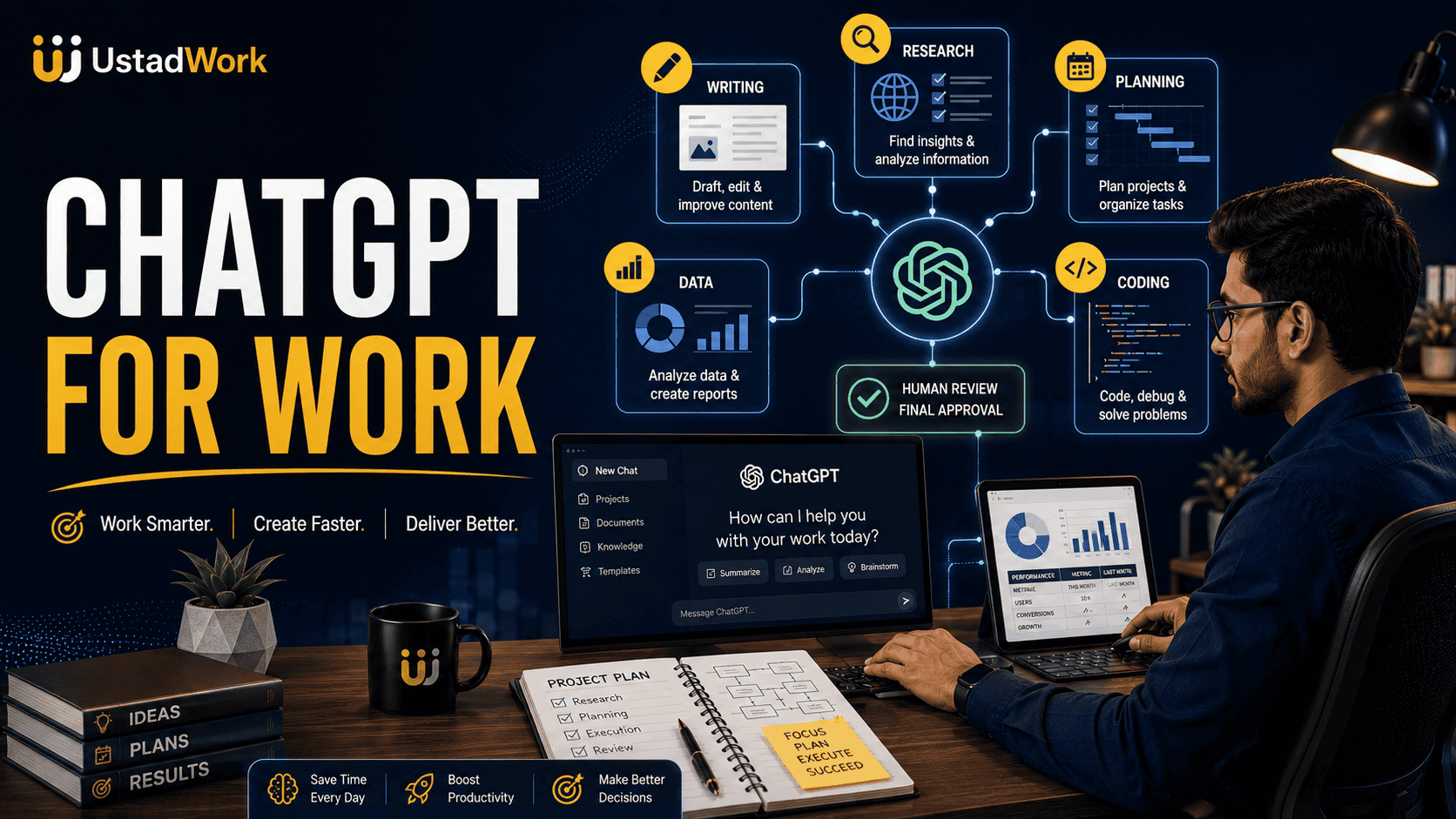
How to Use ChatGPT for Work: 30 Practical Use Cases
ChatGPT can help professionals turn notes, documents, questions, and data into clearer drafts, plans, reports, analyses, and working materials. It can support writing, research, meetings, project planning, marketing, sales, data analysis, coding, client communication, and recurring administrative work.
The strongest results usually come from giving ChatGPT genuine context, reliable source material, a specific objective, useful constraints, and a clear output format. The final result should then be reviewed by someone responsible for its accuracy and use.
This guide explains how to use ChatGPT for work through 30 practical examples for freelancers, employees, managers, marketers, developers, researchers, and small teams.
When specialist execution is required, you can post a project on UstadWork or browse professional freelance services.
The strongest results usually come from giving ChatGPT genuine context, reliable source material, a specific objective, useful constraints, and a clear output format. The final result should then be reviewed by someone responsible for its accuracy and use.
This guide explains how to use ChatGPT for work through 30 practical examples for freelancers, employees, managers, marketers, developers, researchers, and small teams.
When specialist execution is required, you can post a project on UstadWork or browse professional freelance services.
Quick Answer: What Can ChatGPT Help With at Work?
ChatGPT is especially useful when a task involves transforming, organising, explaining, comparing, drafting, or analysing information.
Common workplace applications include:
Drafting and improving emails.
Summarising meetings and documents.
Preparing project plans.
Brainstorming options.
Researching a business question.
Creating content briefs.
Analysing spreadsheets.
Preparing reports.
Explaining unfamiliar code.
Writing standard operating procedures.
Creating interview questions.
Reviewing work for gaps and inconsistencies.
It should normally create a reviewable first version rather than make important business decisions without human involvement.
Common workplace applications include:
Drafting and improving emails.
Summarising meetings and documents.
Preparing project plans.
Brainstorming options.
Researching a business question.
Creating content briefs.
Analysing spreadsheets.
Preparing reports.
Explaining unfamiliar code.
Writing standard operating procedures.
Creating interview questions.
Reviewing work for gaps and inconsistencies.
It should normally create a reviewable first version rather than make important business decisions without human involvement.
What ChatGPT Does Well
ChatGPT performs best when the work has clear inputs and the user can evaluate the result.
It can help with:
Drafting: Creating a structured first version from notes or instructions.
Rewriting: Improving clarity, tone, organisation, or audience fit.
Summarising: Extracting important ideas, decisions, risks, and actions.
Explaining: Making difficult material easier to understand.
Comparing: Showing differences, trade-offs, strengths, and limitations.
Planning: Breaking an objective into tasks, milestones, owners, and dependencies.
Analysing: Finding patterns, inconsistencies, missing information, and useful questions.
Formatting: Turning the same information into an email, table, brief, checklist, report, or presentation outline.
It can help with:
Drafting: Creating a structured first version from notes or instructions.
Rewriting: Improving clarity, tone, organisation, or audience fit.
Summarising: Extracting important ideas, decisions, risks, and actions.
Explaining: Making difficult material easier to understand.
Comparing: Showing differences, trade-offs, strengths, and limitations.
Planning: Breaking an objective into tasks, milestones, owners, and dependencies.
Analysing: Finding patterns, inconsistencies, missing information, and useful questions.
Formatting: Turning the same information into an email, table, brief, checklist, report, or presentation outline.
What ChatGPT Should Not Decide Alone
ChatGPT can assist with preparation, but important outcomes still require accountable human judgement.
Human review is especially important for:
Legal agreements and legal rights.
Medical or health information.
Taxes, accounting, investments, and financial decisions.
Hiring, firing, or employee discipline.
Customer promises and final prices.
Public statistics and factual claims.
Security-sensitive software changes.
Production deployments.
Confidential customer records.
Payments, refunds, and account changes.
Use ChatGPT to organise information, identify questions, and prepare drafts. Use a qualified professional to approve high-impact conclusions and actions.
Human review is especially important for:
Legal agreements and legal rights.
Medical or health information.
Taxes, accounting, investments, and financial decisions.
Hiring, firing, or employee discipline.
Customer promises and final prices.
Public statistics and factual claims.
Security-sensitive software changes.
Production deployments.
Confidential customer records.
Payments, refunds, and account changes.
Use ChatGPT to organise information, identify questions, and prepare drafts. Use a qualified professional to approve high-impact conclusions and actions.
Use a Reliable Prompt Structure
A useful work prompt normally includes six elements:
Context: Explain the business, audience, project, or situation.
Objective: State the exact result required.
Inputs: Provide notes, documents, data, examples, or approved facts.
Constraints: Explain what must not be invented, changed, or included.
Format: Request an email, table, report, checklist, plan, or another structure.
Review: Ask ChatGPT to identify uncertainty, missing information, and claims requiring verification.
This structure reduces guesswork and makes the response easier to review.
Context: Explain the business, audience, project, or situation.
Objective: State the exact result required.
Inputs: Provide notes, documents, data, examples, or approved facts.
Constraints: Explain what must not be invented, changed, or included.
Format: Request an email, table, report, checklist, plan, or another structure.
Review: Ask ChatGPT to identify uncertainty, missing information, and claims requiring verification.
This structure reduces guesswork and makes the response easier to review.
Copy-and-Paste ChatGPT Work Prompt
You are helping with [role, team, or project].

Context:
[Explain the business, audience, task, and relevant background.]

Objective:
[State the exact useful result required.]

Use these inputs:
[Paste notes, data, documents, examples, or approved information.]

Constraints:
- Do not invent facts, results, quotes, prices, or statistics.
- Preserve confirmed commitments.
- Ask questions when essential information is missing.
- Clearly mark assumptions and anything requiring specialist verification.

Output format:
[Specify the sections, table, length, tone, or final format.]

Before finalising:
Check for inaccuracies, unsupported claims, missing information, repetition, and inconsistencies with the objective.
Use Cases 1–5: Writing and Communication
1. Draft a professional email
Provide the recipient, purpose, required action, tone, and deadline.
2. Rewrite a message for clarity
Ask ChatGPT to preserve all confirmed facts while improving readability.
3. Adjust tone for a specific audience
4. Prepare a difficult-client response
5. Create a concise executive summary
Provide the recipient, purpose, required action, tone, and deadline.
Draft a concise email to a client explaining that the first design review is ready. Ask for consolidated feedback by Thursday and keep the tone professional and friendly.2. Rewrite a message for clarity
Ask ChatGPT to preserve all confirmed facts while improving readability.
Rewrite this message so it is easier to understand. Preserve all dates, prices, deliverables, and commitments exactly.3. Adjust tone for a specific audience
Adapt this technical update for a non-technical business owner. Keep the meaning accurate and explain unfamiliar terms briefly.4. Prepare a difficult-client response
Draft a calm response acknowledging the client's concern. Separate included revisions from additional scope and propose a clear next step without accepting responsibility for facts that are not confirmed.5. Create a concise executive summary
Turn this report into a one-page executive summary containing the objective, key findings, evidence, risks, decisions required, and recommended next action.Use Cases 6–10: Meetings and Teamwork
6. Prepare a meeting agenda
7. Convert meeting notes into actions
8. Prepare for a one-to-one meeting
9. Draft a weekly team update
10. Prepare constructive feedback
Create a 30-minute meeting agenda from these notes. Include the objective, discussion topics, decisions required, owners, and preparation needed from each participant.7. Convert meeting notes into actions
Organise these meeting notes into decisions, action items, responsible owners, due dates, unresolved questions, and identified risks.8. Prepare for a one-to-one meeting
Create a one-to-one agenda covering recent progress, blockers, priorities, support required, development goals, and follow-up actions.9. Draft a weekly team update
Turn these project notes into a concise weekly update with completed work, current work, blockers, upcoming deadlines, decisions needed, and risks.10. Prepare constructive feedback
Help me structure feedback using the specific situation, observable behaviour, impact, expected improvement, and a respectful next step. Do not make assumptions about the person's intentions.Use Cases 11–15: Research and Document Analysis
11. Create a research brief
12. Summarise a long document
13. Compare several documents
14. Extract requirements from a document
15. Challenge a research conclusion
Create a research brief for this business question. Include the decision being supported, scope, required sources, exclusions, key questions, evaluation criteria, and expected output.12. Summarise a long document
Summarise this document for a business owner. Identify its main argument, supporting evidence, important obligations, limitations, risks, and unanswered questions.13. Compare several documents
Compare these documents in a table showing their objectives, conclusions, evidence, assumptions, dates, limitations, and areas of disagreement.14. Extract requirements from a document
Extract all deliverables, deadlines, responsibilities, approval requirements, dependencies, exclusions, and unresolved questions from this document.15. Challenge a research conclusion
Review this research summary critically. Identify weak evidence, missing viewpoints, outdated information, unsupported conclusions, and claims that should be checked against primary sources.Use Cases 16–20: Project and Business Planning
16. Turn an idea into a project plan
17. Write a freelance project brief
Use our freelance project brief guide for a complete structure.
18. Create a risk register
19. Compare business options
20. Prepare a decision memo
Turn this objective into a project plan with scope, deliverables, milestones, owners, dependencies, risks, approval criteria, and a realistic sequence of work.17. Write a freelance project brief
Create a project brief containing the business objective, target users, deliverables, exclusions, available assets, required skills, timeline, approval process, success criteria, and handoff requirements.Use our freelance project brief guide for a complete structure.
18. Create a risk register
Review this plan and create a risk register showing each risk, likelihood, impact, warning signs, owner, mitigation, and fallback response.19. Compare business options
Compare these options using cost, time, complexity, benefits, risks, dependencies, reversibility, and information still needed. Do not select a winner without explaining the trade-offs.20. Prepare a decision memo
Create a one-page decision memo with context, objective, options considered, evidence, trade-offs, recommendation, uncertainties, and next action.Use Cases 21–25: Marketing, Sales, and Customers
21. Create a content brief
22. Repurpose approved content
23. Prepare for a sales call
24. Draft a proposal outline
25. Create customer FAQ drafts
Create a people-first content brief for this topic. Include audience, search intent, main question, useful sections, original examples required, facts needing reliable sources, internal links, and reader action.22. Repurpose approved content
Turn this approved article into a LinkedIn post, Facebook post, Instagram caption, and X post. Adapt the structure and length to each platform instead of copying the same text.23. Prepare for a sales call
Using these prospect notes, prepare a discovery-call plan with likely goals, relevant questions, possible objections, information not yet confirmed, and an appropriate next step.24. Draft a proposal outline
Turn these discovery notes into a proposal outline with client goal, scope, deliverables, exclusions, milestones, client responsibilities, assumptions, risks, and next step. Do not invent prices or deadlines.25. Create customer FAQ drafts
Use this approved product and policy information to draft customer FAQs. Do not add promises or policies that are not present in the source material. Mark unanswered questions separately.Use Cases 26–30: Data, Coding, and Operations
26. Analyse spreadsheet data
27. Prepare a KPI report
28. Explain unfamiliar code
29. Create a debugging plan
30. Document a recurring business process
Inspect this dataset and explain the columns, missing values, duplicates, unusual records, useful segments, and questions that should be investigated before drawing conclusions.27. Prepare a KPI report
Turn this performance data into a report showing important changes, comparison with the previous period, possible explanations, data limitations, risks, and actions requiring investigation.28. Explain unfamiliar code
Explain what this code does, how data moves through it, which dependencies it uses, where errors may occur, and which parts are security-sensitive. Do not change the code yet.29. Create a debugging plan
Analyse this error and reproduction information. Create a debugging plan containing likely causes, evidence to collect, tests to run, risky assumptions, and fixes that should not be attempted yet.30. Document a recurring business process
Turn these notes into a standard operating procedure with purpose, trigger, required inputs, responsible roles, steps, quality checks, exceptions, escalation, final output, and review frequency.Use ChatGPT With Files and Existing Work
ChatGPT becomes more useful when it receives relevant source material instead of being asked to guess the context.
Depending on the available tools and account, useful inputs may include:
Documents.
Spreadsheets.
Meeting notes.
Presentations.
Images.
Reports.
Policies.
Project briefs.
Brand guidelines.
Code files.
Explain which files are authoritative and what result should be produced from them. Ask ChatGPT to distinguish information found in the source from its own suggestions or inferences.
Depending on the available tools and account, useful inputs may include:
Documents.
Spreadsheets.
Meeting notes.
Presentations.
Images.
Reports.
Policies.
Project briefs.
Brand guidelines.
Code files.
Explain which files are authoritative and what result should be produced from them. Ask ChatGPT to distinguish information found in the source from its own suggestions or inferences.
Use Projects for Repeated Work
For ongoing work, keep related instructions, conversations, and reference files together where the available ChatGPT workspace supports it.
A project may contain:
Brand guidelines.
Service information.
Approved terminology.
Customer profiles.
Reporting definitions.
Templates.
Previous examples.
Project-specific instructions.
Example instructions:
Review stored information regularly so outdated files do not continue influencing new work.
A project may contain:
Brand guidelines.
Service information.
Approved terminology.
Customer profiles.
Reporting definitions.
Templates.
Previous examples.
Project-specific instructions.
Example instructions:
Write for U.S. small-business owners. Use clear professional English. Do not invent statistics, prices, customer results, or legal claims. Ask for missing information and mark statements that require verification.Review stored information regularly so outdated files do not continue influencing new work.
Ask ChatGPT to Show Its Assumptions
A confident response can still contain an incorrect assumption.
Useful follow-up prompts include:
This does not guarantee accuracy, but it makes the draft easier to inspect critically.
Useful follow-up prompts include:
Which parts of your answer came directly from my information?Which parts are assumptions or suggestions?What information is missing?Which claims require verification?What could make this recommendation wrong?Show an alternative interpretation.What would an experienced reviewer challenge?This does not guarantee accuracy, but it makes the draft easier to inspect critically.
Use a Human-in-the-Loop Workflow
For important work, use the following process:
1. Prepare: Gather reliable information and remove unnecessary sensitive data.
2. Instruct: Explain the context, objective, constraints, and format.
3. Draft: Ask ChatGPT to produce the first reviewable version.
4. Challenge: Request assumptions, uncertainties, missing evidence, and alternative views.
5. Verify: Check important claims against original records or reliable sources.
6. Edit: Apply professional judgement, brand standards, and real-world context.
7. Approve: A responsible person accepts the final output.
8. Record: Save useful prompts, decisions, and lessons for the next task.
This workflow combines AI speed with human accountability.
1. Prepare: Gather reliable information and remove unnecessary sensitive data.
2. Instruct: Explain the context, objective, constraints, and format.
3. Draft: Ask ChatGPT to produce the first reviewable version.
4. Challenge: Request assumptions, uncertainties, missing evidence, and alternative views.
5. Verify: Check important claims against original records or reliable sources.
6. Edit: Apply professional judgement, brand standards, and real-world context.
7. Approve: A responsible person accepts the final output.
8. Record: Save useful prompts, decisions, and lessons for the next task.
This workflow combines AI speed with human accountability.
Protect Confidential and Sensitive Information
Do not upload sensitive information simply because it would make the prompt easier.
Remove or replace where possible:
Passwords and API keys.
Credit-card and banking details.
Government identification numbers.
Private customer records.
Medical information.
Payroll information.
Confidential legal documents.
Unreleased company plans.
Production credentials.
Personal information not required for the task.
Review your organisation's policies, account controls, data-retention requirements, contractual obligations, and applicable laws before using business information with any AI system.
Remove or replace where possible:
Passwords and API keys.
Credit-card and banking details.
Government identification numbers.
Private customer records.
Medical information.
Payroll information.
Confidential legal documents.
Unreleased company plans.
Production credentials.
Personal information not required for the task.
Review your organisation's policies, account controls, data-retention requirements, contractual obligations, and applicable laws before using business information with any AI system.
Common ChatGPT Work Mistakes
Avoid these common mistakes:
Using vague prompts: ChatGPT must guess the objective and audience.
Providing unreliable inputs: A polished output may still be based on weak information.
Accepting the first response: Missing questions and weak assumptions remain unchallenged.
Publishing unverified facts: Incorrect claims become part of public content.
Uploading too much irrelevant material: Important context becomes harder to identify.
Removing human approval: Nobody remains accountable for the final action.
Using one workspace for unrelated clients: Instructions and terminology can become confused.
Automating a weak process: The business produces mistakes faster.
Ignoring privacy: Sensitive information may be exposed unnecessarily.
Replacing specialists in high-risk work: Necessary legal, financial, medical, or security expertise is lost.
Using vague prompts: ChatGPT must guess the objective and audience.
Providing unreliable inputs: A polished output may still be based on weak information.
Accepting the first response: Missing questions and weak assumptions remain unchallenged.
Publishing unverified facts: Incorrect claims become part of public content.
Uploading too much irrelevant material: Important context becomes harder to identify.
Removing human approval: Nobody remains accountable for the final action.
Using one workspace for unrelated clients: Instructions and terminology can become confused.
Automating a weak process: The business produces mistakes faster.
Ignoring privacy: Sensitive information may be exposed unnecessarily.
Replacing specialists in high-risk work: Necessary legal, financial, medical, or security expertise is lost.
A Seven-Day ChatGPT for Work Plan
Day 1: Choose one repeated task that takes too much time.
Day 2: Document the correct inputs, process, output, and review standard.
Day 3: Write a detailed prompt and test it using non-sensitive information.
Day 4: Compare the response with a strong human-created example.
Day 5: Add constraints, examples, and a quality checklist.
Day 6: Test the prompt on three different real situations.
Day 7: Document the final workflow, approval owner, privacy limits, and situations where it should not be used.
Begin with one useful workflow instead of trying to automate an entire job immediately.
Day 2: Document the correct inputs, process, output, and review standard.
Day 3: Write a detailed prompt and test it using non-sensitive information.
Day 4: Compare the response with a strong human-created example.
Day 5: Add constraints, examples, and a quality checklist.
Day 6: Test the prompt on three different real situations.
Day 7: Document the final workflow, approval owner, privacy limits, and situations where it should not be used.
Begin with one useful workflow instead of trying to automate an entire job immediately.
When to Hire a Specialist
ChatGPT can help prepare and organise professional work, but specialist support remains valuable when the project requires implementation, accountability, deep expertise, or ongoing maintenance.
Consider hiring a professional for:
Custom AI integrations.
Workflow automation.
Production software development.
Secure data handling.
Financial implementation.
Legal review.
Advanced SEO strategy.
Complex analytics.
Brand and creative direction.
High-volume content quality assurance.
Use our freelancer hiring guide, post your requirements, or browse relevant specialists.
Consider hiring a professional for:
Custom AI integrations.
Workflow automation.
Production software development.
Secure data handling.
Financial implementation.
Legal review.
Advanced SEO strategy.
Complex analytics.
Brand and creative direction.
High-volume content quality assurance.
Use our freelancer hiring guide, post your requirements, or browse relevant specialists.
Official Resources and Further Learning
Review current official product guidance when interface details, plan access, tools, or limits matter.
OpenAI Academy: ChatGPT for Work
OpenAI Academy: Using ChatGPT
OpenAI Help: Projects in ChatGPT
Google: Creating Helpful, Reliable, People-First Content
OpenAI Academy: ChatGPT for Work
OpenAI Academy: Using ChatGPT
OpenAI Help: Projects in ChatGPT
Google: Creating Helpful, Reliable, People-First Content
Use ChatGPT to Strengthen Work, Not Remove Responsibility
ChatGPT can accelerate many everyday tasks, but speed should not replace accuracy, privacy, originality, or professional judgement.
Begin with a clearly defined objective, provide reliable source material, request a structured result, challenge assumptions, and verify important information before using the output.
The most effective approach to using ChatGPT for work is not asking it to do everything. It is identifying where drafting, transformation, explanation, analysis, and organisation can strengthen an accountable human process.
Continue with the Claude vs ChatGPT comparison, explore practical Claude AI workflows, or post your AI-related project on UstadWork.
Begin with a clearly defined objective, provide reliable source material, request a structured result, challenge assumptions, and verify important information before using the output.
The most effective approach to using ChatGPT for work is not asking it to do everything. It is identifying where drafting, transformation, explanation, analysis, and organisation can strengthen an accountable human process.
Continue with the Claude vs ChatGPT comparison, explore practical Claude AI workflows, or post your AI-related project on UstadWork.
Frequently asked questions
What can ChatGPT be used for at work?
ChatGPT can support writing, email drafting, meeting summaries, document analysis, research, project planning, marketing, proposals, spreadsheet analysis, coding assistance, reporting, and standard operating procedures.
How should a beginner use ChatGPT for work?
Start with one clearly defined, low-risk task. Provide enough context, request a specific format, review the result carefully, and improve the prompt based on what was missing.
Can ChatGPT analyse documents and spreadsheets?
ChatGPT can work with supported uploaded files and help explain, summarise, organise, clean, compare, and analyse their contents. Exact tools, file limits, and capabilities can vary by account and plan.
Can ChatGPT replace an employee or freelancer?
ChatGPT can support parts of many jobs, but it does not replace accountability, specialist expertise, client relationships, implementation ownership, or human review for important work.
Is it safe to upload confidential work to ChatGPT?
Users should review their account controls, organisation policies, contracts, privacy requirements, and applicable laws before uploading business information. Unnecessary sensitive data should be removed or anonymised.
How can I get better ChatGPT responses?
Give clear context, state the objective, provide reliable inputs, define constraints, request a specific output format, and ask ChatGPT to identify assumptions, missing information, and claims needing verification.