YouTube Shorts Editing for Service Businesses
Learn how service businesses can use YouTube Shorts editing, hooks, captions, pacing, and CTAs to generate better leads.
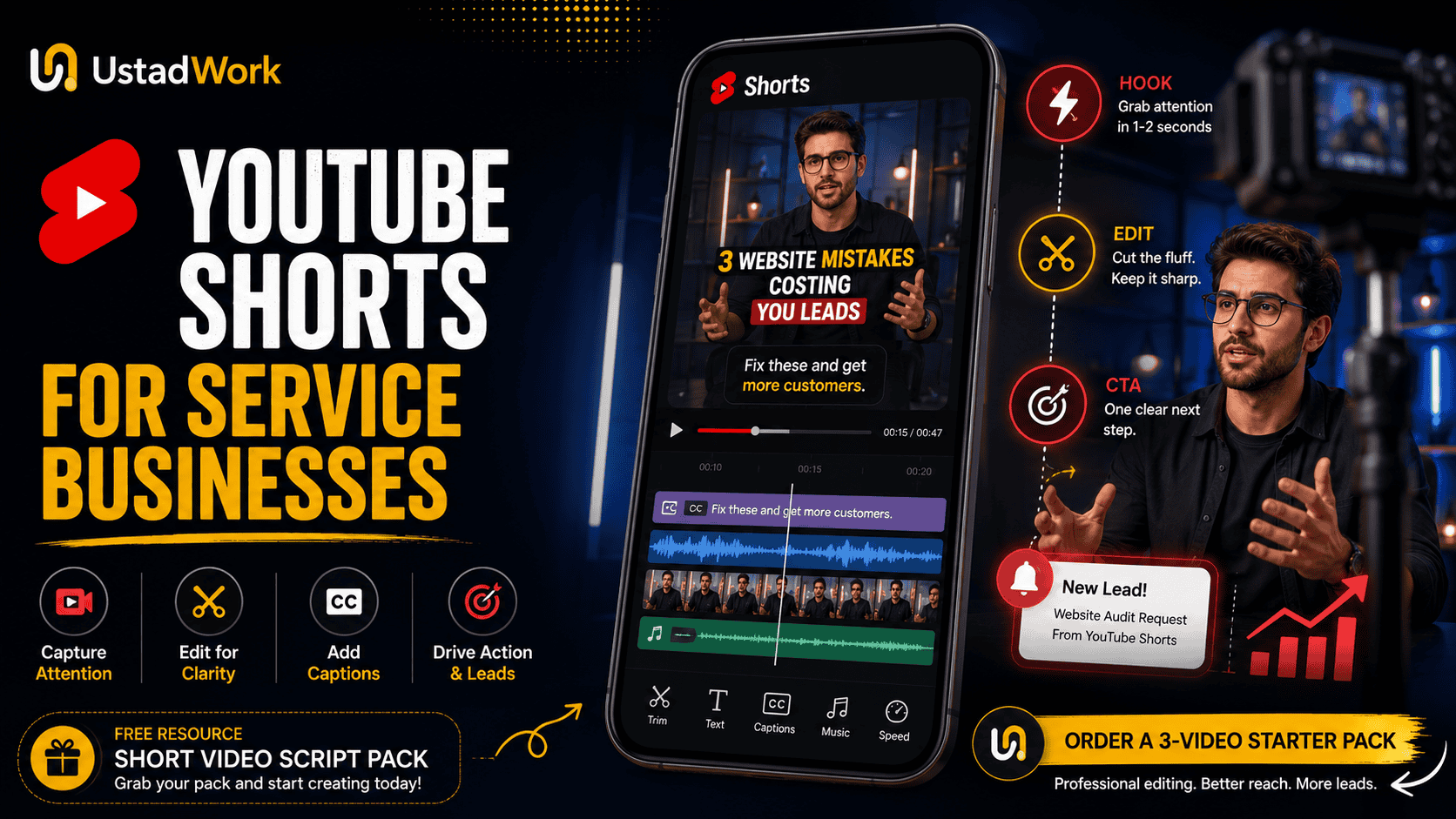
YouTube Shorts Editing for Service Businesses
YouTube Shorts can help service businesses turn customer questions, expert advice, project examples, and common mistakes into useful short-form content. The goal is not simply to collect views. The goal is to attract the right audience, demonstrate expertise, and guide interested viewers toward a relevant next step.
A consultant, agency, clinic, contractor, real estate professional, legal service, accountant, software company, or local business can all use Shorts differently. Their strongest videos usually come from real buyer questions rather than generic trends.
Effective youtube shorts editing for business combines a clear topic, an immediate hook, focused scripting, readable captions, clean pacing, visual proof, and one specific call to action. When your content plan is ready, you can post a short-form video editing project on UstadWork or browse video editing services.
A consultant, agency, clinic, contractor, real estate professional, legal service, accountant, software company, or local business can all use Shorts differently. Their strongest videos usually come from real buyer questions rather than generic trends.
Effective youtube shorts editing for business combines a clear topic, an immediate hook, focused scripting, readable captions, clean pacing, visual proof, and one specific call to action. When your content plan is ready, you can post a short-form video editing project on UstadWork or browse video editing services.
Why Video Packaging Matters
A useful idea can still fail if the viewer does not understand it quickly. Packaging is the combination of topic, opening line, first visual, on-screen text, title, pacing, and promise.
For a service business, strong packaging should answer three questions immediately:
Who is this for?
What problem will it solve?
Why should the viewer keep watching?
Compare these openings:
Weak: Today I want to talk about website design.
Stronger: Your homepage may be losing leads for this one simple reason.
Weak: Here are some SEO tips.
Stronger: Before publishing another blog, check these three SEO problems.
The stronger versions create a clearer reason to continue without making exaggerated promises.
For a service business, strong packaging should answer three questions immediately:
Who is this for?
What problem will it solve?
Why should the viewer keep watching?
Compare these openings:
Weak: Today I want to talk about website design.
Stronger: Your homepage may be losing leads for this one simple reason.
Weak: Here are some SEO tips.
Stronger: Before publishing another blog, check these three SEO problems.
The stronger versions create a clearer reason to continue without making exaggerated promises.
Choose Topics That Can Lead to Business
Service businesses should not choose every topic by potential reach. A smaller, relevant audience can create more qualified opportunities than a large audience with no buying intent.
Use content topics connected to real customer decisions:
Frequently asked questions: Answer questions buyers ask before contacting you.
Common mistakes: Explain errors that waste money or cause delays.
Before-and-after examples: Show what changed and why.
Process videos: Explain how your service works.
Myth versus reality: Correct a common misunderstanding.
Cost questions: Explain what changes price without making unsupported promises.
Checklist videos: Give viewers a practical next step.
Mini case studies: Explain the problem, approach, and result honestly.
Build topics from sales calls, support messages, proposal questions, reviews, objections, and project briefs. These sources are usually more valuable than copying random trends.
Use content topics connected to real customer decisions:
Frequently asked questions: Answer questions buyers ask before contacting you.
Common mistakes: Explain errors that waste money or cause delays.
Before-and-after examples: Show what changed and why.
Process videos: Explain how your service works.
Myth versus reality: Correct a common misunderstanding.
Cost questions: Explain what changes price without making unsupported promises.
Checklist videos: Give viewers a practical next step.
Mini case studies: Explain the problem, approach, and result honestly.
Build topics from sales calls, support messages, proposal questions, reviews, objections, and project briefs. These sources are usually more valuable than copying random trends.
Build Content Around the Buyer Journey
Not every Short should ask viewers to buy immediately. Different videos can support different stages of the buyer journey.
Awareness content:
Help viewers recognise a problem. Example: Three signs your website is confusing potential customers.
Consideration content:
Explain approaches, comparisons, processes, or mistakes. Example: WordPress redesign or simple optimisation—which one do you need?
Decision content:
Show proof, explain your process, answer pricing questions, or invite a consultation. Example: What happens during our 30-minute website audit?
A balanced Shorts plan can include all three. Too much awareness content may attract views without leads. Too much promotional content may give people no reason to trust you first.
Awareness content:
Help viewers recognise a problem. Example: Three signs your website is confusing potential customers.
Consideration content:
Explain approaches, comparisons, processes, or mistakes. Example: WordPress redesign or simple optimisation—which one do you need?
Decision content:
Show proof, explain your process, answer pricing questions, or invite a consultation. Example: What happens during our 30-minute website audit?
A balanced Shorts plan can include all three. Too much awareness content may attract views without leads. Too much promotional content may give people no reason to trust you first.
Use a Simple Shorts Script Framework
A short video should usually communicate one main idea. Trying to fit five unrelated lessons into one clip often creates rushed editing and weak understanding.
Use this simple framework:
Hook: State the problem, question, or useful promise.
Context: Explain why it matters.
Value: Give one to three practical points.
Proof: Add an example, screenshot, result, demonstration, or process detail.
CTA: Give the viewer one relevant next step.
Example:
Hook: Your contact form may be costing you qualified leads.
Context: Many businesses ask for too much information too early.
Value: Keep the first form focused on name, contact details, and the main requirement.
Proof: Show a cluttered form beside a simpler version.
CTA: Download the landing-page checklist or request a review.
Use this simple framework:
Hook: State the problem, question, or useful promise.
Context: Explain why it matters.
Value: Give one to three practical points.
Proof: Add an example, screenshot, result, demonstration, or process detail.
CTA: Give the viewer one relevant next step.
Example:
Hook: Your contact form may be costing you qualified leads.
Context: Many businesses ask for too much information too early.
Value: Keep the first form focused on name, contact details, and the main requirement.
Proof: Show a cluttered form beside a simpler version.
CTA: Download the landing-page checklist or request a review.
Copy-and-Paste Short Video Script Template
VIDEO TOPIC:
Choose one customer question or problem.
HOOK:
If you are [target viewer], avoid this [mistake/problem].
CONTEXT:
This matters because [short explanation].
POINT 1:
Explain the most important action.
POINT 2:
Add a supporting step or example.
PROOF OR VISUAL:
Show a screenshot, process, result, product, document, or demonstration.
CTA:
Ask viewers to download a resource, watch a related video, visit a service page, request an audit, or send their project details.
EDITOR NOTES:
Highlight the hook, add captions, remove pauses, show proof at the right moment, and keep the CTA visible long enough to read.
Choose one customer question or problem.
HOOK:
If you are [target viewer], avoid this [mistake/problem].
CONTEXT:
This matters because [short explanation].
POINT 1:
Explain the most important action.
POINT 2:
Add a supporting step or example.
PROOF OR VISUAL:
Show a screenshot, process, result, product, document, or demonstration.
CTA:
Ask viewers to download a resource, watch a related video, visit a service page, request an audit, or send their project details.
EDITOR NOTES:
Highlight the hook, add captions, remove pauses, show proof at the right moment, and keep the CTA visible long enough to read.
The First Seconds Must Establish the Topic
Do not spend the opening seconds introducing the company, displaying a long logo animation, or explaining unnecessary background. Viewers should understand the topic immediately.
Useful hook styles include:
Problem hook: Your Shopify product page may be losing buyers here.
Question hook: How much should a five-page business website cost?
Contrarian hook: More website traffic will not fix a weak offer.
Checklist hook: Check these three things before hiring an SEO freelancer.
Demonstration hook: Watch how we turn this raw clip into a client-ready Short.
Before-and-after hook: This is the same landing page before and after better positioning.
The hook should accurately represent the video. Avoid misleading openings that create curiosity but never deliver the promised answer.
Useful hook styles include:
Problem hook: Your Shopify product page may be losing buyers here.
Question hook: How much should a five-page business website cost?
Contrarian hook: More website traffic will not fix a weak offer.
Checklist hook: Check these three things before hiring an SEO freelancer.
Demonstration hook: Watch how we turn this raw clip into a client-ready Short.
Before-and-after hook: This is the same landing page before and after better positioning.
The hook should accurately represent the video. Avoid misleading openings that create curiosity but never deliver the promised answer.
Use Editing to Improve Clarity, Not Create Noise
Short-form editing does not require a visual change every second. The edit should help the viewer follow the explanation.
A clean editing framework can include:
Remove dead space: Cut long pauses, repeated words, and unnecessary setup.
Use purposeful visual changes: Switch angles, screenshots, examples, or close-ups when they add context.
Highlight important words: Use short on-screen text for the main point.
Show proof: Add page recordings, documents, examples, results, or process visuals.
Control the pace: Allow enough time for important information to be understood.
Keep branding consistent: Use repeatable fonts, caption styles, spacing, and visual elements.
Editing should make complex information easier to consume. Excessive zooms, transitions, sound effects, and animations can distract from a professional service message.
A clean editing framework can include:
Remove dead space: Cut long pauses, repeated words, and unnecessary setup.
Use purposeful visual changes: Switch angles, screenshots, examples, or close-ups when they add context.
Highlight important words: Use short on-screen text for the main point.
Show proof: Add page recordings, documents, examples, results, or process visuals.
Control the pace: Allow enough time for important information to be understood.
Keep branding consistent: Use repeatable fonts, caption styles, spacing, and visual elements.
Editing should make complex information easier to consume. Excessive zooms, transitions, sound effects, and animations can distract from a professional service message.
Add Captions and On-Screen Text Properly
Captions help viewers follow spoken information and make videos easier to understand when audio is unavailable or unclear. On-screen text can also emphasise the hook, steps, numbers, or call to action.
Use captions carefully:
Keep lines short enough to read quickly.
Place text away from interface elements near the edges.
Use strong contrast between text and background.
Correct automatic transcription mistakes.
Do not cover important faces, products, screenshots, or demonstrations.
Highlight only the words that deserve emphasis.
Use consistent spelling, punctuation, and brand terminology.
On-screen text should support the spoken message rather than repeat a full paragraph. YouTube’s official editing guidance also recommends using text to give context, guide viewers through fast edits, and make Shorts more accessible. :contentReference[oaicite:2]{index=2}
Use captions carefully:
Keep lines short enough to read quickly.
Place text away from interface elements near the edges.
Use strong contrast between text and background.
Correct automatic transcription mistakes.
Do not cover important faces, products, screenshots, or demonstrations.
Highlight only the words that deserve emphasis.
Use consistent spelling, punctuation, and brand terminology.
On-screen text should support the spoken message rather than repeat a full paragraph. YouTube’s official editing guidance also recommends using text to give context, guide viewers through fast edits, and make Shorts more accessible. :contentReference[oaicite:2]{index=2}
Use B-Roll and Proof to Keep the Video Credible
Service businesses often rely too heavily on generic stock footage. A stronger video shows something connected to the actual service.
Useful proof visuals include:
Website screens or page comparisons.
Design drafts and final versions.
SEO audit findings with private details removed.
Project plans, checklists, or timelines.
Before-and-after edits.
Product demonstrations.
Real workspaces, teams, or processes.
Customer questions displayed anonymously.
The proof does not need to reveal private client information. Blur sensitive data, replace identifying details, or create a realistic demonstration project.
A viewer should leave the video with a better understanding of how you think and what you can deliver.
Useful proof visuals include:
Website screens or page comparisons.
Design drafts and final versions.
SEO audit findings with private details removed.
Project plans, checklists, or timelines.
Before-and-after edits.
Product demonstrations.
Real workspaces, teams, or processes.
Customer questions displayed anonymously.
The proof does not need to reveal private client information. Blur sensitive data, replace identifying details, or create a realistic demonstration project.
A viewer should leave the video with a better understanding of how you think and what you can deliver.
Write One Clear Call to Action
A Short should normally have one main CTA. Asking viewers to subscribe, comment, visit a website, download a guide, book a call, send a message, and buy a service at the same time creates confusion.
Choose the CTA based on the topic:
Educational video: Download the checklist.
Comparison video: Read the complete guide.
Audit video: Request a review.
Case study: View the full project.
Service video: Send your requirements.
Series video: Watch the related video.
Make the next step specific. “Learn more” is weaker than “Download the Short Video Script Pack” or “Send your raw clips for a three-video starter quote.”
Choose the CTA based on the topic:
Educational video: Download the checklist.
Comparison video: Read the complete guide.
Audit video: Request a review.
Case study: View the full project.
Service video: Send your requirements.
Series video: Watch the related video.
Make the next step specific. “Learn more” is weaker than “Download the Short Video Script Pack” or “Send your raw clips for a three-video starter quote.”
Reuse One Short Across Multiple Platforms Carefully
A strong vertical video can often be adapted for YouTube Shorts, Instagram Reels, Facebook Reels, LinkedIn, and other short-form channels. However, publishing the exact same export everywhere may not be the best workflow.
Prepare a clean master file without platform watermarks. Then review:
Video length.
Safe areas for captions and buttons.
Platform-specific title or caption.
CTA wording.
Music and licensing rights.
Thumbnail or cover frame.
Link placement.
Audience expectations.
The core idea can stay the same while the packaging changes. For example, the YouTube version may connect to a related long-form video, while the Instagram version may use a direct-message CTA.
Prepare a clean master file without platform watermarks. Then review:
Video length.
Safe areas for captions and buttons.
Platform-specific title or caption.
CTA wording.
Music and licensing rights.
Thumbnail or cover frame.
Link placement.
Audience expectations.
The core idea can stay the same while the packaging changes. For example, the YouTube version may connect to a related long-form video, while the Instagram version may use a direct-message CTA.
Measure More Than Raw Views
A service business should not judge every Short only by total views. A useful video may attract fewer views but generate profile visits, relevant comments, website clicks, consultation requests, or better-qualified leads.
Review metrics such as:
Engaged views
Average view duration
Average percentage viewed
Subscribers gained
Comments and questions
Related-video clicks
Website visits
Lead or enquiry quality
YouTube’s current guidance explains that recommendation performance considers whether people choose to watch, whether they stay, average view duration, average percentage viewed, likes, and satisfaction signals. YouTube also retains Engaged views in Analytics for comparing Shorts performance. :contentReference[oaicite:3]{index=3}
Review metrics such as:
Engaged views
Average view duration
Average percentage viewed
Subscribers gained
Comments and questions
Related-video clicks
Website visits
Lead or enquiry quality
YouTube’s current guidance explains that recommendation performance considers whether people choose to watch, whether they stay, average view duration, average percentage viewed, likes, and satisfaction signals. YouTube also retains Engaged views in Analytics for comparing Shorts performance. :contentReference[oaicite:3]{index=3}
Create a Sustainable Production Workflow
A repeatable workflow is more valuable than publishing aggressively for two weeks and stopping. YouTube says there is no minimum posting cadence required for a Short to perform well, so choose a schedule your business can maintain. :contentReference[oaicite:4]{index=4}
A simple monthly system may include:
Week 1: Collect customer questions and choose topics.
Week 2: Write and approve scripts.
Week 3: Record videos in one batch.
Week 4: Edit, review, schedule, and analyse results.
Create reusable templates for captions, transitions, intro text, calls to action, and exports. Keep a content tracker showing topic, audience stage, status, publish date, platform, CTA, and result.
A consistent system should protect quality, brand accuracy, and the time of the business owner.
A simple monthly system may include:
Week 1: Collect customer questions and choose topics.
Week 2: Write and approve scripts.
Week 3: Record videos in one batch.
Week 4: Edit, review, schedule, and analyse results.
Create reusable templates for captions, transitions, intro text, calls to action, and exports. Keep a content tracker showing topic, audience stage, status, publish date, platform, CTA, and result.
A consistent system should protect quality, brand accuracy, and the time of the business owner.
What to Give a YouTube Shorts Editor
A video editor can produce better work when the business provides clear direction and organised assets.
Prepare:
Content goal: Awareness, trust, lead generation, or customer education.
Target audience: The exact buyer or customer type.
Raw footage: Named and organised clips.
Approved script: Including hook and CTA.
Brand assets: Logo, colors, fonts, and examples.
Proof assets: Screenshots, project examples, testimonials, or demonstrations.
Reference style: Examples of pacing and tone you prefer.
Deliverables: Number of videos, formats, captions, revisions, and source files.
Deadline: Including review time.
For a complete hiring structure, use our guide to posting a clearer freelance job or our freelancer hiring checklist.
Prepare:
Content goal: Awareness, trust, lead generation, or customer education.
Target audience: The exact buyer or customer type.
Raw footage: Named and organised clips.
Approved script: Including hook and CTA.
Brand assets: Logo, colors, fonts, and examples.
Proof assets: Screenshots, project examples, testimonials, or demonstrations.
Reference style: Examples of pacing and tone you prefer.
Deliverables: Number of videos, formats, captions, revisions, and source files.
Deadline: Including review time.
For a complete hiring structure, use our guide to posting a clearer freelance job or our freelancer hiring checklist.
Common YouTube Shorts Editing Mistakes
Avoid these common problems:
Slow introduction: The viewer does not understand the topic quickly.
Too many ideas: The video has no clear central message.
Captions that are difficult to read: Text is too small, fast, or low contrast.
Editing without proof: The video looks active but says little.
Generic stock footage: Visuals do not support the service.
Too many transitions: The edit becomes distracting.
Weak CTA: The viewer does not know what to do next.
No performance review: The business repeats the same weak format.
Chasing every trend: Topics become disconnected from the buyer.
The edit should support the business message, not compete with it.
Slow introduction: The viewer does not understand the topic quickly.
Too many ideas: The video has no clear central message.
Captions that are difficult to read: Text is too small, fast, or low contrast.
Editing without proof: The video looks active but says little.
Generic stock footage: Visuals do not support the service.
Too many transitions: The edit becomes distracting.
Weak CTA: The viewer does not know what to do next.
No performance review: The business repeats the same weak format.
Chasing every trend: Topics become disconnected from the buyer.
The edit should support the business message, not compete with it.
Shorts Editing Action Checklist
Before publishing, check these points:
The video answers one clear buyer question.
The first seconds establish the topic.
The hook accurately matches the content.
Unnecessary pauses and repeated words are removed.
Captions are accurate and readable.
Visual proof appears at the right moment.
Music and sound do not overpower speech.
The format works on a vertical screen.
The CTA is specific and easy to understand.
Private customer information is removed.
The title clearly describes the topic.
The correct version is exported and reviewed.
When ready, post a three-video editing project on UstadWork, browse short-form video services, or review the UstadWork FAQ before ordering.
The video answers one clear buyer question.
The first seconds establish the topic.
The hook accurately matches the content.
Unnecessary pauses and repeated words are removed.
Captions are accurate and readable.
Visual proof appears at the right moment.
Music and sound do not overpower speech.
The format works on a vertical screen.
The CTA is specific and easy to understand.
Private customer information is removed.
The title clearly describes the topic.
The correct version is exported and reviewed.
When ready, post a three-video editing project on UstadWork, browse short-form video services, or review the UstadWork FAQ before ordering.
Turn Useful Expertise Into Short-Form Content
YouTube Shorts can support a service business when each video connects useful expertise to a real customer question. Strong results begin before editing: choose the right topic, understand the audience, write a clear hook, and prepare relevant proof.
The editor’s role is to make that message easier to watch and understand through pacing, captions, visual context, clean branding, and a focused CTA.
Start with a small test instead of building a large content operation immediately. Create three videos around different buyer questions, measure which topics attract the right audience, and improve the next batch.
Ready to test your first series? post a 3-video starter project, explore YouTube Shorts editing services, or read the UstadWork FAQ.
The editor’s role is to make that message easier to watch and understand through pacing, captions, visual context, clean branding, and a focused CTA.
Start with a small test instead of building a large content operation immediately. Create three videos around different buyer questions, measure which topics attract the right audience, and improve the next batch.
Ready to test your first series? post a 3-video starter project, explore YouTube Shorts editing services, or read the UstadWork FAQ.
Frequently asked questions
How long can a YouTube Short be?
YouTube currently supports Shorts up to three minutes, although many service-business topics may work better when the answer is delivered clearly in less time.
What should a service business post on YouTube Shorts?
Useful topics include customer questions, common mistakes, before-and-after examples, process explanations, myths, checklists, cost factors, and short case studies.
Do YouTube Shorts need captions?
Captions are strongly useful because they add context, improve readability, support viewers watching without clear audio, and make fast edits easier to follow.
How often should a business upload YouTube Shorts?
There is no required minimum cadence. Choose a sustainable schedule that allows the business to produce accurate, relevant, and useful content consistently.
What should I give a YouTube Shorts editor?
Provide the audience, video goal, approved scripts, raw footage, brand assets, proof visuals, style references, CTA, deliverables, revision limits, and deadline.
How should a service business measure Shorts performance?
Review engaged views, average view duration, average percentage viewed, subscribers, comments, website visits, consultation requests, and the quality of resulting leads.