AI Agents for Small Business: 15 Practical Use Cases
Explore 15 practical AI agent use cases for small businesses, including leads, customer support, scheduling, reporting, and operations.
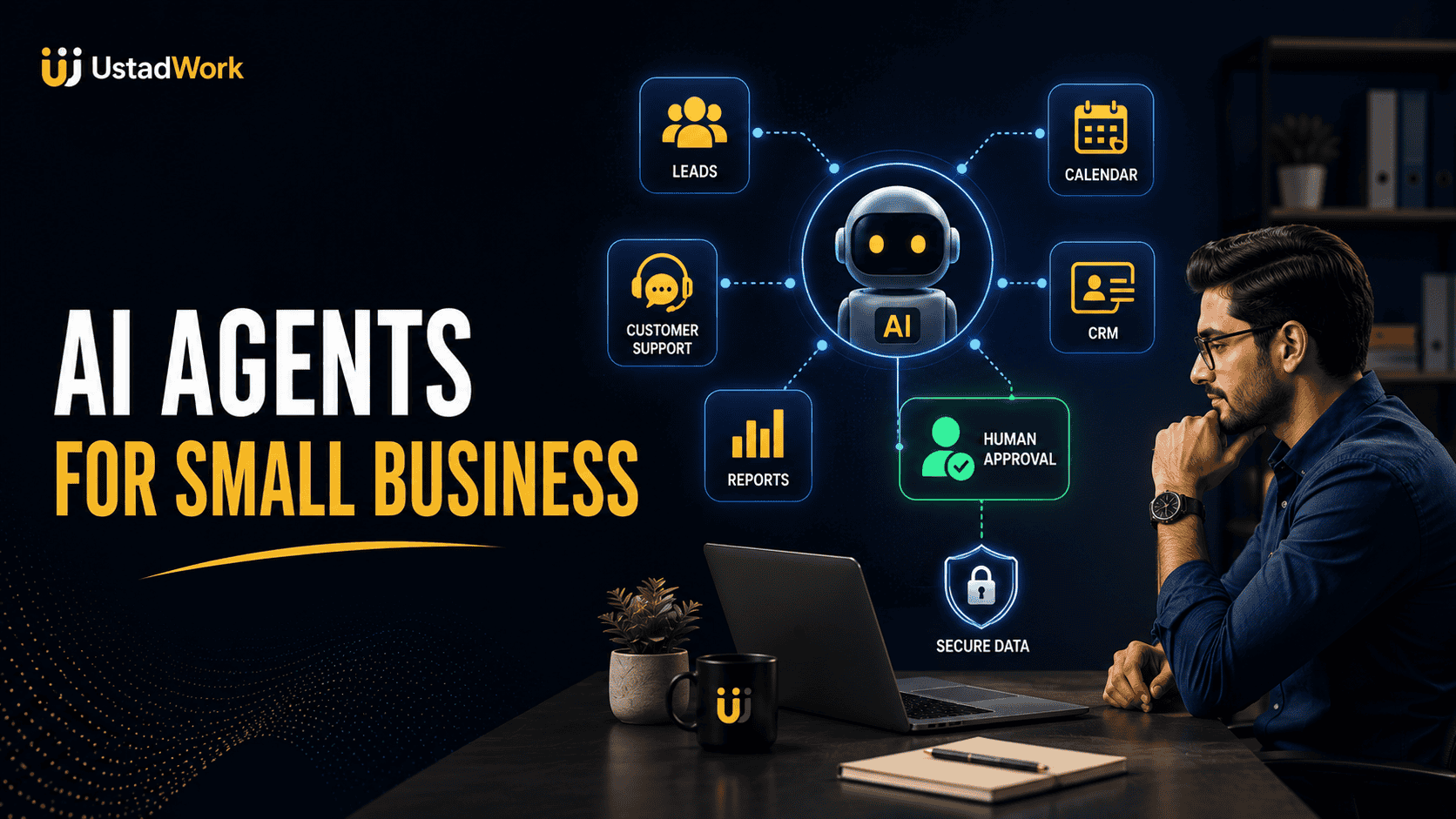
AI Agents for Small Business: 15 Practical Use Cases
Small businesses often lose time moving information between email, calendars, customer records, documents, spreadsheets, support systems, and internal tools. AI agents can help coordinate some of this work by understanding a goal, retrieving approved information, using connected tools, and completing several related steps.
An agent may respond to a new enquiry, check the customer record, identify the correct service, prepare a reply, update the CRM, and schedule a follow-up. The business still decides what the agent may access, which actions require approval, and when a person must take control.
This guide covers 15 practical AI agents for small business use cases, including customer support, lead management, appointments, sales, reporting, documents, marketing, and internal operations.
New to the subject? Start with our complete guide to how AI agents work. When implementation support is required, you can post an AI automation project on UstadWork or browse AI and workflow specialists.
An agent may respond to a new enquiry, check the customer record, identify the correct service, prepare a reply, update the CRM, and schedule a follow-up. The business still decides what the agent may access, which actions require approval, and when a person must take control.
This guide covers 15 practical AI agents for small business use cases, including customer support, lead management, appointments, sales, reporting, documents, marketing, and internal operations.
New to the subject? Start with our complete guide to how AI agents work. When implementation support is required, you can post an AI automation project on UstadWork or browse AI and workflow specialists.
Quick Answer: Where Can a Small Business Use an AI Agent?
Small businesses can use controlled AI agents for repeated workflows that involve gathering information, making a limited decision, taking an approved action, and recording the result.
Strong early use cases include:
Responding to new leads.
Qualifying and routing enquiries.
Scheduling appointments.
Answering routine customer questions.
Checking order or service status.
Preparing quotes and proposals.
Updating customer records.
Organizing business email.
Processing documents.
Creating meeting follow-ups.
Preparing recurring reports.
Monitoring operational information.
Drafting review responses.
Supporting marketing workflows.
Answering employee process questions.
The best starting workflow is usually frequent, clearly documented, easy to review, and safe to reverse when something goes wrong.
Strong early use cases include:
Responding to new leads.
Qualifying and routing enquiries.
Scheduling appointments.
Answering routine customer questions.
Checking order or service status.
Preparing quotes and proposals.
Updating customer records.
Organizing business email.
Processing documents.
Creating meeting follow-ups.
Preparing recurring reports.
Monitoring operational information.
Drafting review responses.
Supporting marketing workflows.
Answering employee process questions.
The best starting workflow is usually frequent, clearly documented, easy to review, and safe to reverse when something goes wrong.
AI Agent vs Ordinary Business Automation
Traditional automation follows fixed rules. For example, when a website form is submitted, create a CRM contact and send a confirmation email.
An AI agent can handle more variation. It may read the enquiry, identify the requested service, check whether important information is missing, select an appropriate response, and decide whether the enquiry should go to sales, support, or another team member.
The two approaches can work together. Use normal automation for predictable actions and AI only where language understanding, classification, summarization, or limited judgement adds value.
Do not use an agent when a simple and reliable rule-based workflow can complete the task with less cost and risk.
An AI agent can handle more variation. It may read the enquiry, identify the requested service, check whether important information is missing, select an appropriate response, and decide whether the enquiry should go to sales, support, or another team member.
The two approaches can work together. Use normal automation for predictable actions and AI only where language understanding, classification, summarization, or limited judgement adds value.
Do not use an agent when a simple and reliable rule-based workflow can complete the task with less cost and risk.
How to Recognize a Good Small-Business Agent Workflow
A useful first workflow normally has:
A clear trigger: A form, email, call, order, document, schedule, or recurring event starts the process.
A defined goal: The agent knows what successful completion means.
Reliable information: Approved policies, services, prices, availability, and customer records are available.
Limited tools: The agent can access only the systems required for the task.
Reviewable output: A person can confirm whether the work was completed correctly.
A safe fallback: Uncertain or high-risk cases are transferred to a human.
Measurable value: The business can compare time, quality, response speed, errors, or conversion before and after implementation.
Avoid beginning with a workflow that is undocumented, highly sensitive, legally complex, or difficult to reverse.
A clear trigger: A form, email, call, order, document, schedule, or recurring event starts the process.
A defined goal: The agent knows what successful completion means.
Reliable information: Approved policies, services, prices, availability, and customer records are available.
Limited tools: The agent can access only the systems required for the task.
Reviewable output: A person can confirm whether the work was completed correctly.
A safe fallback: Uncertain or high-risk cases are transferred to a human.
Measurable value: The business can compare time, quality, response speed, errors, or conversion before and after implementation.
Avoid beginning with a workflow that is undocumented, highly sensitive, legally complex, or difficult to reverse.
1. New Lead Response Agent
A lead-response agent can help a local or online business respond when someone submits a website form, sends a message, or requests information after normal working hours.
Possible workflow:
The agent reads the enquiry, checks which service is relevant, identifies missing information, creates a personalized response, updates the lead record, and schedules a follow-up task.
Human checkpoint:
Require approval before sending custom prices, making guarantees, or responding to unusual requirements.
Useful measures:
First-response time, percentage of leads contacted, qualified conversations, appointments booked, and incorrect replies.
The agent should use approved service information and should never invent availability, pricing, credentials, or business results.
Possible workflow:
The agent reads the enquiry, checks which service is relevant, identifies missing information, creates a personalized response, updates the lead record, and schedules a follow-up task.
Human checkpoint:
Require approval before sending custom prices, making guarantees, or responding to unusual requirements.
Useful measures:
First-response time, percentage of leads contacted, qualified conversations, appointments booked, and incorrect replies.
The agent should use approved service information and should never invent availability, pricing, credentials, or business results.
2. Lead Qualification and Routing Agent
Not every enquiry is equally relevant. A qualification agent can review information such as service requested, location, budget range, timeline, business type, and project complexity.
Possible workflow:
The agent collects missing details, compares the enquiry with approved qualification rules, assigns a category, updates the CRM, and routes the lead to the correct person.
Human checkpoint:
A person should review high-value, unclear, sensitive, or rejected opportunities. The system should not make unfair decisions based on protected or irrelevant personal characteristics.
Useful measures:
Qualified-lead rate, routing accuracy, sales response time, rejected leads later found to be valuable, and manual review time.
Possible workflow:
The agent collects missing details, compares the enquiry with approved qualification rules, assigns a category, updates the CRM, and routes the lead to the correct person.
Human checkpoint:
A person should review high-value, unclear, sensitive, or rejected opportunities. The system should not make unfair decisions based on protected or irrelevant personal characteristics.
Useful measures:
Qualified-lead rate, routing accuracy, sales response time, rejected leads later found to be valuable, and manual review time.
3. Appointment Scheduling Agent
A scheduling agent can help service businesses such as consultants, salons, repair companies, real estate teams, clinics, and professional offices coordinate appointments.
Possible workflow:
The agent identifies the service, checks duration and staff availability, offers suitable times, creates the appointment, sends confirmation, and records required preparation information.
Human checkpoint:
Escalate urgent, unusual, sensitive, or complex appointments. Require approval before overriding blocked time or changing an existing booking outside policy.
Useful measures:
Appointments booked, scheduling time, no-show rate, incorrect bookings, rescheduling frequency, and human interventions.
Businesses should review applicable privacy, consent, and industry requirements before using an agent with sensitive appointment information.
Possible workflow:
The agent identifies the service, checks duration and staff availability, offers suitable times, creates the appointment, sends confirmation, and records required preparation information.
Human checkpoint:
Escalate urgent, unusual, sensitive, or complex appointments. Require approval before overriding blocked time or changing an existing booking outside policy.
Useful measures:
Appointments booked, scheduling time, no-show rate, incorrect bookings, rescheduling frequency, and human interventions.
Businesses should review applicable privacy, consent, and industry requirements before using an agent with sensitive appointment information.
4. Customer FAQ and Support Agent
A customer-support agent can answer routine questions using an approved knowledge base.
Common topics include:
Business hours.
Service areas.
Product information.
Shipping policies.
Appointment preparation.
Account access instructions.
Basic troubleshooting.
Return or cancellation procedures.
Possible workflow:
The agent identifies the question, retrieves the approved answer, asks for clarification where required, records the conversation, and escalates when it cannot answer confidently.
Human checkpoint:
Escalate complaints, threats, refunds, safety concerns, legal issues, sensitive account changes, and any case outside the approved knowledge base.
Useful measures:
Resolution rate, escalation accuracy, response time, customer satisfaction, repeated questions, and incorrect answers.
Common topics include:
Business hours.
Service areas.
Product information.
Shipping policies.
Appointment preparation.
Account access instructions.
Basic troubleshooting.
Return or cancellation procedures.
Possible workflow:
The agent identifies the question, retrieves the approved answer, asks for clarification where required, records the conversation, and escalates when it cannot answer confidently.
Human checkpoint:
Escalate complaints, threats, refunds, safety concerns, legal issues, sensitive account changes, and any case outside the approved knowledge base.
Useful measures:
Resolution rate, escalation accuracy, response time, customer satisfaction, repeated questions, and incorrect answers.
5. Order Status and Return-Triage Agent
Ecommerce and product businesses can use an agent to help customers understand order status and begin approved return or exchange processes.
Possible workflow:
The agent verifies the customer, retrieves order information, explains the current status, checks the published return policy, collects the reason for the request, and prepares the next step.
Human checkpoint:
Require approval for refunds, policy exceptions, high-value orders, possible fraud, damaged-product disputes, or repeated claims.
Useful measures:
Order-status enquiries resolved, support volume, refund errors, customer wait time, and cases requiring manual review.
Provide the agent with current policy information. An outdated return rule can create financial loss and customer frustration.
Possible workflow:
The agent verifies the customer, retrieves order information, explains the current status, checks the published return policy, collects the reason for the request, and prepares the next step.
Human checkpoint:
Require approval for refunds, policy exceptions, high-value orders, possible fraud, damaged-product disputes, or repeated claims.
Useful measures:
Order-status enquiries resolved, support volume, refund errors, customer wait time, and cases requiring manual review.
Provide the agent with current policy information. An outdated return rule can create financial loss and customer frustration.
6. Quote and Proposal Preparation Agent
A proposal agent can convert approved discovery notes into a structured first draft for service businesses, agencies, consultants, and contractors.
Possible workflow:
The agent reviews the customer's goal, selects an approved service template, lists deliverables, identifies missing requirements, proposes milestones, and prepares a draft for review.
Human checkpoint:
A responsible person must verify the scope, fees, timeline, exclusions, legal terms, and business commitments before the proposal is sent.
Useful measures:
Proposal-preparation time, correction rate, proposals sent, acceptance rate, scope disputes, and missed requirements.
The agent should not invent project prices or promise delivery dates without approved business rules.
Possible workflow:
The agent reviews the customer's goal, selects an approved service template, lists deliverables, identifies missing requirements, proposes milestones, and prepares a draft for review.
Human checkpoint:
A responsible person must verify the scope, fees, timeline, exclusions, legal terms, and business commitments before the proposal is sent.
Useful measures:
Proposal-preparation time, correction rate, proposals sent, acceptance rate, scope disputes, and missed requirements.
The agent should not invent project prices or promise delivery dates without approved business rules.
7. CRM Update and Follow-Up Agent
Customer records often become incomplete because team members must manually copy information from calls, emails, forms, and meetings.
Possible workflow:
The agent extracts approved details, updates contact fields, records the interaction, creates the next task, and drafts a follow-up message.
Human checkpoint:
Review changes that affect account ownership, sales stage, contract value, customer status, consent, or sensitive personal information.
Useful measures:
Record completeness, duplicate contacts, follow-up completion, incorrect field updates, and administrative time saved.
Limit the agent to necessary fields and keep an audit record showing what information was changed.
Possible workflow:
The agent extracts approved details, updates contact fields, records the interaction, creates the next task, and drafts a follow-up message.
Human checkpoint:
Review changes that affect account ownership, sales stage, contract value, customer status, consent, or sensitive personal information.
Useful measures:
Record completeness, duplicate contacts, follow-up completion, incorrect field updates, and administrative time saved.
Limit the agent to necessary fields and keep an audit record showing what information was changed.
8. Business Email Triage Agent
An inbox agent can help classify incoming email and make the next required action visible.
Possible workflow:
The agent identifies whether a message relates to sales, support, billing, suppliers, scheduling, spam, or internal work. It can summarize the message, assign priority, suggest a response, and create a task.
Human checkpoint:
Require review before sending external replies, changing payment information, opening unusual files, sharing confidential information, or responding to legal and financial messages.
Useful measures:
Unanswered messages, classification accuracy, response time, missed urgent email, and time spent managing the inbox.
An inbox agent should not have unrestricted permission to send, delete, forward, or download content during an early pilot.
Possible workflow:
The agent identifies whether a message relates to sales, support, billing, suppliers, scheduling, spam, or internal work. It can summarize the message, assign priority, suggest a response, and create a task.
Human checkpoint:
Require review before sending external replies, changing payment information, opening unusual files, sharing confidential information, or responding to legal and financial messages.
Useful measures:
Unanswered messages, classification accuracy, response time, missed urgent email, and time spent managing the inbox.
An inbox agent should not have unrestricted permission to send, delete, forward, or download content during an early pilot.
9. Document Intake and Data-Extraction Agent
Businesses frequently receive forms, invoices, applications, reports, contracts, receipts, and other documents that must be reviewed and entered into another system.
Possible workflow:
The agent identifies the document type, extracts required fields, checks for missing information, compares values with basic rules, updates a draft record, and routes exceptions for review.
Human checkpoint:
Review low-quality scans, conflicting information, unusual amounts, missing signatures, sensitive records, and documents that affect legal or financial decisions.
Useful measures:
Extraction accuracy, processing time, missing-field detection, duplicate records, and manual correction rate.
Never assume a confidently extracted value is correct. Important amounts, names, dates, and obligations require verification.
Possible workflow:
The agent identifies the document type, extracts required fields, checks for missing information, compares values with basic rules, updates a draft record, and routes exceptions for review.
Human checkpoint:
Review low-quality scans, conflicting information, unusual amounts, missing signatures, sensitive records, and documents that affect legal or financial decisions.
Useful measures:
Extraction accuracy, processing time, missing-field detection, duplicate records, and manual correction rate.
Never assume a confidently extracted value is correct. Important amounts, names, dates, and obligations require verification.
10. Meeting Notes and Action-Item Agent
A meeting agent can turn a transcript or approved notes into a useful record.
Possible workflow:
The agent identifies decisions, unresolved questions, responsible owners, due dates, risks, and follow-up items. It then prepares a summary and updates the project workspace.
Human checkpoint:
The meeting owner should approve the final summary before it is treated as an official decision record.
Useful measures:
Time spent preparing notes, missing action items, overdue tasks, disputed decisions, and follow-up completion.
Participants should know when transcription or automated analysis is being used, and the business should follow applicable consent and privacy requirements.
Possible workflow:
The agent identifies decisions, unresolved questions, responsible owners, due dates, risks, and follow-up items. It then prepares a summary and updates the project workspace.
Human checkpoint:
The meeting owner should approve the final summary before it is treated as an official decision record.
Useful measures:
Time spent preparing notes, missing action items, overdue tasks, disputed decisions, and follow-up completion.
Participants should know when transcription or automated analysis is being used, and the business should follow applicable consent and privacy requirements.
11. Weekly Business Reporting Agent
A reporting agent can collect approved information from sales, marketing, support, finance, operations, and project tools.
Possible workflow:
The agent retrieves defined metrics, compares them with prior periods, identifies unusual changes, prepares a written summary, and lists questions requiring investigation.
Human checkpoint:
A responsible manager should verify calculations, source completeness, business interpretation, and any recommendation before the report is distributed.
Useful measures:
Report preparation time, calculation errors, missing data, decisions supported, and recurring issues discovered.
Keep the metric definitions documented. Terms such as qualified lead, active customer, profit, and completed order must have one agreed meaning.
Possible workflow:
The agent retrieves defined metrics, compares them with prior periods, identifies unusual changes, prepares a written summary, and lists questions requiring investigation.
Human checkpoint:
A responsible manager should verify calculations, source completeness, business interpretation, and any recommendation before the report is distributed.
Useful measures:
Report preparation time, calculation errors, missing data, decisions supported, and recurring issues discovered.
Keep the metric definitions documented. Terms such as qualified lead, active customer, profit, and completed order must have one agreed meaning.
12. Inventory and Operations Monitoring Agent
A small retailer, ecommerce business, restaurant, manufacturer, or service operation may use an agent to monitor defined operational signals.
Possible workflow:
The agent reviews stock, demand, open orders, supplier updates, service capacity, or delayed tasks. It identifies exceptions and prepares a recommended action.
Human checkpoint:
Require approval before purchasing inventory, changing suppliers, modifying prices, cancelling orders, or committing business funds.
Useful measures:
Stockouts, delayed orders, false alerts, unnecessary purchases, response time, and operational interruptions.
Start with alerts and recommendations before allowing the agent to place orders independently.
Possible workflow:
The agent reviews stock, demand, open orders, supplier updates, service capacity, or delayed tasks. It identifies exceptions and prepares a recommended action.
Human checkpoint:
Require approval before purchasing inventory, changing suppliers, modifying prices, cancelling orders, or committing business funds.
Useful measures:
Stockouts, delayed orders, false alerts, unnecessary purchases, response time, and operational interruptions.
Start with alerts and recommendations before allowing the agent to place orders independently.
13. Customer Review and Reputation Agent
A reputation agent can organize customer reviews from approved channels and help the business prepare appropriate responses.
Possible workflow:
The agent identifies the topic and sentiment, flags serious complaints, drafts a response using brand guidelines, records recurring issues, and sends the draft for approval.
Human checkpoint:
Review every response during the pilot. Escalate safety concerns, legal threats, discrimination complaints, refund disputes, and allegations involving employees.
Useful measures:
Response time, approved drafts, repeated complaint themes, editing time, and customer follow-up results.
The agent should not invent customer details, deny a real problem automatically, or create fake positive reviews.
Possible workflow:
The agent identifies the topic and sentiment, flags serious complaints, drafts a response using brand guidelines, records recurring issues, and sends the draft for approval.
Human checkpoint:
Review every response during the pilot. Escalate safety concerns, legal threats, discrimination complaints, refund disputes, and allegations involving employees.
Useful measures:
Response time, approved drafts, repeated complaint themes, editing time, and customer follow-up results.
The agent should not invent customer details, deny a real problem automatically, or create fake positive reviews.
14. Marketing Workflow Agent
An agent can coordinate selected parts of a marketing workflow without controlling the entire strategy.
Possible workflow:
The agent receives an approved campaign brief, researches internal reference material, creates channel-specific drafts, checks required brand rules, organizes assets, and sends the content for review.
Human checkpoint:
A marketer or business owner should approve claims, offers, images, targeting, links, and publication. Regulated products and sensitive industries require additional review.
Useful measures:
Production time, revision rate, publishing consistency, incorrect claims, campaign engagement, and qualified actions.
Do not automatically publish generic AI content at scale. Original experience, customer understanding, human editing, and accurate claims remain essential.
Possible workflow:
The agent receives an approved campaign brief, researches internal reference material, creates channel-specific drafts, checks required brand rules, organizes assets, and sends the content for review.
Human checkpoint:
A marketer or business owner should approve claims, offers, images, targeting, links, and publication. Regulated products and sensitive industries require additional review.
Useful measures:
Production time, revision rate, publishing consistency, incorrect claims, campaign engagement, and qualified actions.
Do not automatically publish generic AI content at scale. Original experience, customer understanding, human editing, and accurate claims remain essential.
15. Employee Knowledge and SOP Agent
An internal knowledge agent can help employees locate approved procedures, policies, product information, templates, and troubleshooting steps.
Possible workflow:
The employee asks a question, the agent searches approved internal sources, provides an answer with the source, and escalates when the information is missing or uncertain.
Human checkpoint:
HR, legal, finance, security, and management should approve relevant source documents. Sensitive decisions should remain with authorized people.
Useful measures:
Time spent searching for information, repeated questions, source accuracy, outdated answers, onboarding time, and escalations.
The knowledge base must be maintained. An agent connected to outdated procedures can deliver consistent but incorrect advice.
Possible workflow:
The employee asks a question, the agent searches approved internal sources, provides an answer with the source, and escalates when the information is missing or uncertain.
Human checkpoint:
HR, legal, finance, security, and management should approve relevant source documents. Sensitive decisions should remain with authorized people.
Useful measures:
Time spent searching for information, repeated questions, source accuracy, outdated answers, onboarding time, and escalations.
The knowledge base must be maintained. An agent connected to outdated procedures can deliver consistent but incorrect advice.
What Small Businesses Should Not Automate First
Avoid giving an early agent independent control over high-impact or irreversible decisions.
Examples include:
Hiring, firing, or employee discipline.
Legal conclusions or contract approval.
Medical recommendations.
Tax and financial advice.
Payments and bank transfers.
Large refunds or pricing exceptions.
Deletion of customer or company data.
Production software deployment.
Public crisis communication.
Safety-critical decisions.
Decisions using sensitive personal characteristics.
An agent may help prepare information, but a qualified and accountable person should make the final decision.
Examples include:
Hiring, firing, or employee discipline.
Legal conclusions or contract approval.
Medical recommendations.
Tax and financial advice.
Payments and bank transfers.
Large refunds or pricing exceptions.
Deletion of customer or company data.
Production software deployment.
Public crisis communication.
Safety-critical decisions.
Decisions using sensitive personal characteristics.
An agent may help prepare information, but a qualified and accountable person should make the final decision.
Build Human Approval Into the Workflow
A human checkpoint should appear before an action when a mistake could affect money, rights, safety, privacy, reputation, or customer trust.
Useful approval models include:
Draft only: The agent prepares the work and a person completes the action.
Approval before action: The agent pauses until an authorized person confirms.
Threshold approval: Routine cases continue, but values above a limit require review.
Exception escalation: Unclear, unusual, or sensitive cases are transferred to a person.
Sampled review: Low-risk completed actions are checked regularly for quality.
Every escalation should include the original request, information used, actions already taken, reason for escalation, and recommended next step.
Useful approval models include:
Draft only: The agent prepares the work and a person completes the action.
Approval before action: The agent pauses until an authorized person confirms.
Threshold approval: Routine cases continue, but values above a limit require review.
Exception escalation: Unclear, unusual, or sensitive cases are transferred to a person.
Sampled review: Low-risk completed actions are checked regularly for quality.
Every escalation should include the original request, information used, actions already taken, reason for escalation, and recommended next step.
Prepare Your Data and Business Rules
An agent cannot reliably follow business policies that have never been documented.
Prepare:
Current service descriptions.
Approved prices or pricing rules.
Business hours and availability.
Customer-support policies.
Return and cancellation rules.
Qualification criteria.
Communication templates.
Escalation conditions.
Frequently asked questions.
Standard operating procedures.
Authorized data sources.
Assign an owner to every source and record when it was last reviewed. Remove duplicate, outdated, or contradictory instructions before connecting them to an agent.
Prepare:
Current service descriptions.
Approved prices or pricing rules.
Business hours and availability.
Customer-support policies.
Return and cancellation rules.
Qualification criteria.
Communication templates.
Escalation conditions.
Frequently asked questions.
Standard operating procedures.
Authorized data sources.
Assign an owner to every source and record when it was last reviewed. Remove duplicate, outdated, or contradictory instructions before connecting them to an agent.
Control Tools, Permissions, and Customer Data
Give the agent only the access required for the selected workflow.
A safer setup may include:
Read-only access during early tests.
Separate service accounts.
Minimum field-level permissions.
Approval before sending or deleting.
Secure credential storage.
Limits on execution time and spending.
Logs of tool calls and data changes.
Approved customer-data retention.
A fast disable option.
Businesses handling health, financial, legal, education, employment, or other sensitive information should obtain appropriate professional guidance before allowing an external AI system to process that data.
A safer setup may include:
Read-only access during early tests.
Separate service accounts.
Minimum field-level permissions.
Approval before sending or deleting.
Secure credential storage.
Limits on execution time and spending.
Logs of tool calls and data changes.
Approved customer-data retention.
A fast disable option.
Businesses handling health, financial, legal, education, employment, or other sensitive information should obtain appropriate professional guidance before allowing an external AI system to process that data.
What Does a Small-Business AI Agent Cost?
The total cost is more than the price of the AI model or software subscription.
Include:
Agent platform or model usage.
Implementation and configuration.
CRM, email, calendar, phone, or database integration.
Data cleanup.
Testing and evaluation.
Human-review time.
Monitoring and logs.
Security and compliance work.
Maintenance when tools or policies change.
Support and incident response.
A low-cost tool can become expensive when the process creates errors, requires constant correction, or depends on unreliable information.
Measure the total cost per successfully completed task—not only the monthly software charge.
Include:
Agent platform or model usage.
Implementation and configuration.
CRM, email, calendar, phone, or database integration.
Data cleanup.
Testing and evaluation.
Human-review time.
Monitoring and logs.
Security and compliance work.
Maintenance when tools or policies change.
Support and incident response.
A low-cost tool can become expensive when the process creates errors, requires constant correction, or depends on unreliable information.
Measure the total cost per successfully completed task—not only the monthly software charge.
How to Measure AI-Agent ROI
Record the performance of the manual workflow before introducing the agent.
Possible baseline measures include:
Tasks completed each week.
Average handling time.
First-response time.
Error and rework rate.
Customer satisfaction.
Appointments or qualified leads.
Revenue influenced by the workflow.
Human-review time.
Software and labor cost.
After the pilot, compare the same measures. Include the cost of corrections, monitoring, training, and maintenance.
An agent creates value when it improves a meaningful business result while keeping risk and review effort at an acceptable level.
Possible baseline measures include:
Tasks completed each week.
Average handling time.
First-response time.
Error and rework rate.
Customer satisfaction.
Appointments or qualified leads.
Revenue influenced by the workflow.
Human-review time.
Software and labor cost.
After the pilot, compare the same measures. Include the cost of corrections, monitoring, training, and maintenance.
An agent creates value when it improves a meaningful business result while keeping risk and review effort at an acceptable level.
Build, Buy, or Hire an AI Specialist?
Use an existing product when:
The workflow is common, your tools are supported, and the vendor's controls fit your requirements.
Use no-code or low-code automation when:
The process is limited, uses standard business tools, and can be reviewed by a knowledgeable operator.
Build a custom agent when:
The workflow requires proprietary data, specialized rules, custom software, unique permissions, or deeper integration.
Hire an AI specialist when:
Your team needs help with workflow design, APIs, security, evaluation, deployment, documentation, or maintenance.
Before hiring, review our freelancer hiring guide. You can then post the automation project or compare available AI specialists.
The workflow is common, your tools are supported, and the vendor's controls fit your requirements.
Use no-code or low-code automation when:
The process is limited, uses standard business tools, and can be reviewed by a knowledgeable operator.
Build a custom agent when:
The workflow requires proprietary data, specialized rules, custom software, unique permissions, or deeper integration.
Hire an AI specialist when:
Your team needs help with workflow design, APIs, security, evaluation, deployment, documentation, or maintenance.
Before hiring, review our freelancer hiring guide. You can then post the automation project or compare available AI specialists.
A 30-Day AI-Agent Pilot Plan
Days 1–5: Map the workflow
Document the trigger, inputs, decisions, tools, actions, exceptions, risks, and current performance.
Days 6–10: Prepare the system
Clean the required information, create business rules, define permissions, and build a limited prototype.
Days 11–15: Test realistic cases
Test normal requests, missing information, incorrect data, unavailable tools, unusual requests, and attempted misuse.
Days 16–20: Run supervised live work
Use the agent for a small number of low-risk cases while a person reviews every action.
Days 21–25: Improve the workflow
Fix weak instructions, inaccurate sources, unnecessary tool access, poor escalation, and repeated errors.
Days 26–30: Evaluate the pilot
Compare quality, time, cost, customer impact, human-review effort, and risk with the original process.
Expand only when the agent performs reliably and the business can maintain it.
Document the trigger, inputs, decisions, tools, actions, exceptions, risks, and current performance.
Days 6–10: Prepare the system
Clean the required information, create business rules, define permissions, and build a limited prototype.
Days 11–15: Test realistic cases
Test normal requests, missing information, incorrect data, unavailable tools, unusual requests, and attempted misuse.
Days 16–20: Run supervised live work
Use the agent for a small number of low-risk cases while a person reviews every action.
Days 21–25: Improve the workflow
Fix weak instructions, inaccurate sources, unnecessary tool access, poor escalation, and repeated errors.
Days 26–30: Evaluate the pilot
Compare quality, time, cost, customer impact, human-review effort, and risk with the original process.
Expand only when the agent performs reliably and the business can maintain it.
AI Agent Project Brief Template
Business Problem:
Which repeated problem should the agent help solve?
Target Users:
Who will interact with or benefit from the system?
Trigger:
Which message, form, call, event, file, or schedule starts the workflow?
Goal:
What result should the agent produce?
Approved Knowledge:
Which documents, policies, databases, and records may it use?
Tools:
Which applications or APIs must it access?
Permissions:
What may it read, create, update, send, or delete?
Human Approval:
Which actions must pause for review?
Exceptions:
Which cases should be transferred to a person?
Success Measures:
How will accuracy, time, cost, and business impact be evaluated?
Security Requirements:
Define customer-data access, credentials, logs, retention, and deletion.
Deliverables:
Prototype, integrations, evaluations, documentation, training, monitoring, and handoff.
Use our complete project brief guide and job-posting guide before publishing the requirement.
Which repeated problem should the agent help solve?
Target Users:
Who will interact with or benefit from the system?
Trigger:
Which message, form, call, event, file, or schedule starts the workflow?
Goal:
What result should the agent produce?
Approved Knowledge:
Which documents, policies, databases, and records may it use?
Tools:
Which applications or APIs must it access?
Permissions:
What may it read, create, update, send, or delete?
Human Approval:
Which actions must pause for review?
Exceptions:
Which cases should be transferred to a person?
Success Measures:
How will accuracy, time, cost, and business impact be evaluated?
Security Requirements:
Define customer-data access, credentials, logs, retention, and deletion.
Deliverables:
Prototype, integrations, evaluations, documentation, training, monitoring, and handoff.
Use our complete project brief guide and job-posting guide before publishing the requirement.
Official Resources for Responsible Adoption
Small businesses should compare vendor guidance with independent and government resources.
The U.S. Small Business Administration's AI guidance recommends starting small, testing available tools, and considering their risks and benefits.
The NIST AI Risk Management Framework provides a voluntary approach for managing AI risk throughout design, development, deployment, use, and evaluation.
The NIST Generative AI Profile provides additional risk-management considerations for generative AI systems.
The U.S. Small Business Administration's AI guidance recommends starting small, testing available tools, and considering their risks and benefits.
The NIST AI Risk Management Framework provides a voluntary approach for managing AI risk throughout design, development, deployment, use, and evaluation.
The NIST Generative AI Profile provides additional risk-management considerations for generative AI systems.
Small-Business AI Agent Checklist
Before launching, confirm that:
The workflow solves one clearly defined problem.
The manual process and baseline are documented.
The agent uses current and approved information.
Only necessary tools and permissions are enabled.
Customer information is handled appropriately.
Important actions require human approval.
Uncertain cases are escalated.
Normal, edge, failure, and misuse cases have been tested.
Actions, errors, and costs are logged.
A person remains accountable for the result.
A disable and rollback process exists.
Maintenance responsibility is assigned.
When ready, post your AI agent project, explore automation services, or review the UstadWork FAQ.
The workflow solves one clearly defined problem.
The manual process and baseline are documented.
The agent uses current and approved information.
Only necessary tools and permissions are enabled.
Customer information is handled appropriately.
Important actions require human approval.
Uncertain cases are escalated.
Normal, edge, failure, and misuse cases have been tested.
Actions, errors, and costs are logged.
A person remains accountable for the result.
A disable and rollback process exists.
Maintenance responsibility is assigned.
When ready, post your AI agent project, explore automation services, or review the UstadWork FAQ.
Start With One Valuable and Controlled Workflow
AI agents can help small businesses respond faster, reduce repetitive administration, organize information, and connect work across several tools. The greatest value usually comes from improving one clear process—not trying to automate an entire company at once.
Choose a frequent and measurable workflow, document the business rules, limit access, test realistic failures, and place human approval before high-impact actions.
The strongest AI agents for small business expand the capacity of the team without removing visibility, accountability, or control.
Continue with our AI-agent fundamentals guide, post your implementation requirements, browse AI specialists, or read the UstadWork FAQ.
Choose a frequent and measurable workflow, document the business rules, limit access, test realistic failures, and place human approval before high-impact actions.
The strongest AI agents for small business expand the capacity of the team without removing visibility, accountability, or control.
Continue with our AI-agent fundamentals guide, post your implementation requirements, browse AI specialists, or read the UstadWork FAQ.
Frequently asked questions
What can AI agents do for a small business?
AI agents can support lead response, customer service, appointment scheduling, CRM updates, inbox organization, document intake, proposal preparation, reporting, marketing workflows, and internal knowledge retrieval.
What is the best first AI agent for a small business?
The best first agent handles a frequent, clearly documented, low-risk workflow whose output can be reviewed easily. Lead response, FAQ support, meeting summaries, and weekly reporting are common starting points.
How is an AI agent different from regular automation?
Regular automation follows fixed steps. An AI agent can interpret language, select from approved tools, adjust its next step, and escalate when the situation does not match a predefined rule.
Are AI agents safe for customer data?
Safety depends on the product, account settings, permissions, integrations, retention, security controls, and type of information involved. Businesses should minimize access and obtain appropriate guidance for sensitive data.
How much does a small-business AI agent cost?
Cost can include software or model usage, configuration, integrations, data cleanup, testing, human review, monitoring, security, maintenance, and support. The total varies significantly by workflow.
Should an AI agent operate without human approval?
Low-risk and reversible actions may be automated after careful testing. High-impact actions involving money, customer rights, sensitive information, public communication, or irreversible changes should normally require human approval.