How to Build an AI Agent for Business: A Practical Guide
Build a business AI agent with clear goals, tools, approvals, testing, security, and measurable outcomes.
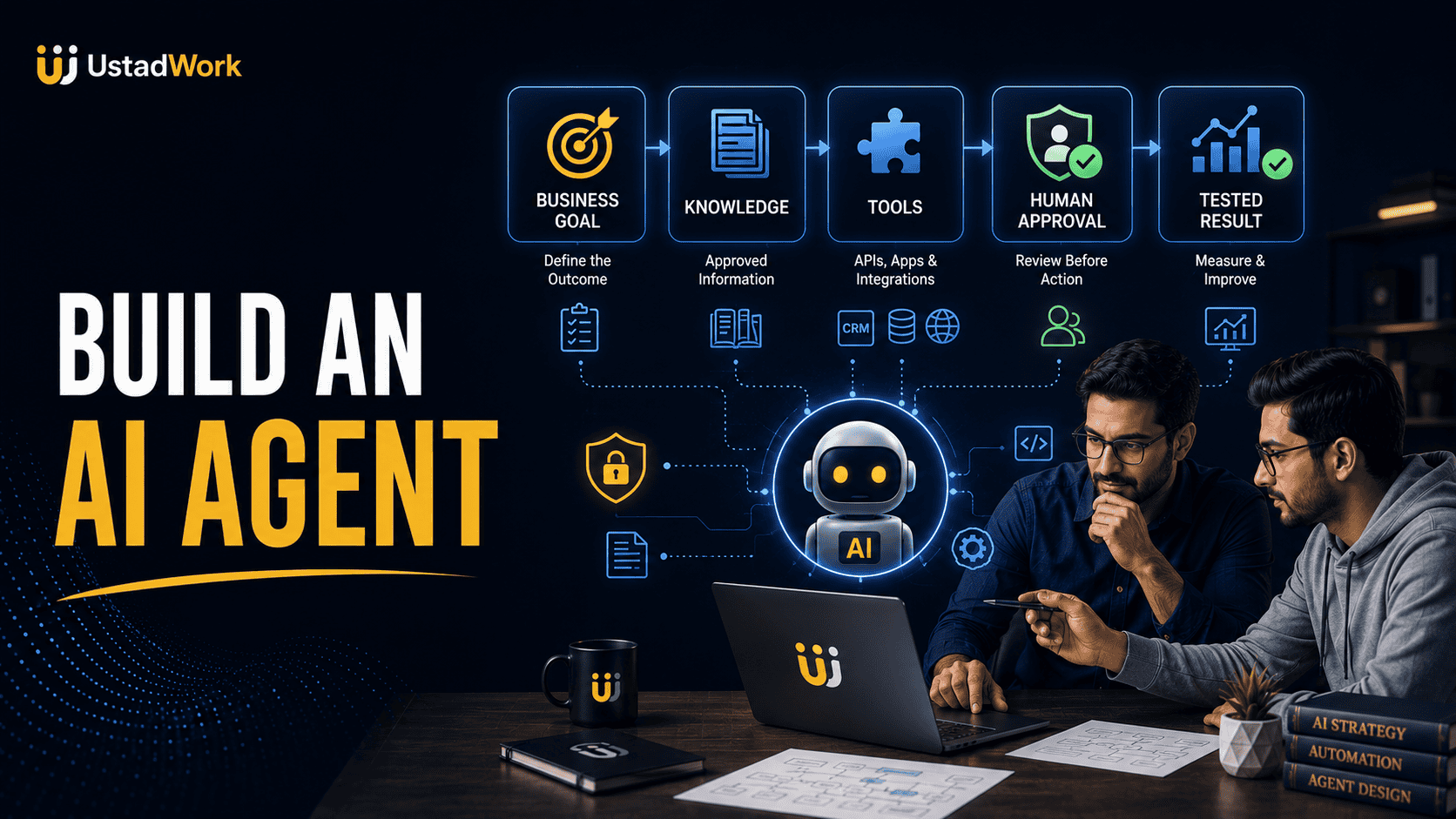
How to Build an AI Agent for Business
A business AI agent is a software system that receives a goal, uses approved information and tools, decides what step to take next, and continues working until the task is completed, paused, or transferred to a person.
Building one requires more than connecting a language model to a chatbot. A reliable implementation needs a clearly defined business outcome, documented rules, controlled system access, human approval, realistic evaluations, failure handling, logs, security, and ongoing maintenance.
This guide explains how to build an AI agent for a real business workflow without creating unnecessary complexity. It covers workflow selection, architecture, instructions, knowledge, tools, memory, permissions, testing, monitoring, and deployment.
Start with our AI-agent fundamentals guide if you need the basic concepts first. You can also post an AI-agent development project on UstadWork or browse AI automation specialists.
Building one requires more than connecting a language model to a chatbot. A reliable implementation needs a clearly defined business outcome, documented rules, controlled system access, human approval, realistic evaluations, failure handling, logs, security, and ongoing maintenance.
This guide explains how to build an AI agent for a real business workflow without creating unnecessary complexity. It covers workflow selection, architecture, instructions, knowledge, tools, memory, permissions, testing, monitoring, and deployment.
Start with our AI-agent fundamentals guide if you need the basic concepts first. You can also post an AI-agent development project on UstadWork or browse AI automation specialists.
Quick Answer: What Do You Need to Build an AI Agent?
A practical business agent normally needs nine elements:
A defined outcome: The exact result the business needs.
A trigger: The event that starts the workflow.
Instructions: The agent's responsibilities, rules, boundaries, and required output.
Approved knowledge: Reliable documents, records, policies, or databases.
Tools: The systems the agent may search, read, update, or use.
State: A record of what has already happened during the task.
Human approval: Checkpoints before sensitive or high-impact actions.
Evaluations: Tests showing whether the agent works safely and accurately.
Monitoring: Logs, costs, errors, tool activity, and outcome tracking.
The first version should solve one narrow problem. Do not begin by trying to automate the entire business.
A defined outcome: The exact result the business needs.
A trigger: The event that starts the workflow.
Instructions: The agent's responsibilities, rules, boundaries, and required output.
Approved knowledge: Reliable documents, records, policies, or databases.
Tools: The systems the agent may search, read, update, or use.
State: A record of what has already happened during the task.
Human approval: Checkpoints before sensitive or high-impact actions.
Evaluations: Tests showing whether the agent works safely and accurately.
Monitoring: Logs, costs, errors, tool activity, and outcome tracking.
The first version should solve one narrow problem. Do not begin by trying to automate the entire business.
First Decide Whether You Need an Agent
Some business problems need an agent, while others are better solved with traditional automation, software rules, or a normal AI assistant.
Use traditional automation when:
The workflow follows fixed steps and does not require interpretation. For example, creating a CRM contact whenever a form is submitted.
Use an AI assistant when:
A person needs help drafting, summarizing, researching, or analyzing information but remains responsible for every action.
Consider an agent when:
The workflow contains variable language, several information sources, limited decisions, tool use, repeated steps, and exceptions requiring escalation.
Do not use an agent merely because the technology is popular. Use it when the agentic approach is more useful than a simpler and more predictable solution.
Use traditional automation when:
The workflow follows fixed steps and does not require interpretation. For example, creating a CRM contact whenever a form is submitted.
Use an AI assistant when:
A person needs help drafting, summarizing, researching, or analyzing information but remains responsible for every action.
Consider an agent when:
The workflow contains variable language, several information sources, limited decisions, tool use, repeated steps, and exceptions requiring escalation.
Do not use an agent merely because the technology is popular. Use it when the agentic approach is more useful than a simpler and more predictable solution.
Step 1: Choose One Valuable Business Outcome
Begin with a business result rather than a technology feature.
Weak objective:
We want an AI agent.
Stronger objective:
We want every qualified website enquiry acknowledged within five minutes, recorded in the CRM, and assigned to the correct sales representative.
Other focused outcomes include:
Reduce the time required to classify customer-support tickets.
Prepare a weekly performance report from approved business systems.
Identify missing information in customer applications.
Schedule suitable appointments using approved availability rules.
Prepare proposals from reviewed discovery notes.
Help employees locate current procedures and policy documents.
A narrow outcome gives the team something measurable to design, test, and improve.
Weak objective:
We want an AI agent.
Stronger objective:
We want every qualified website enquiry acknowledged within five minutes, recorded in the CRM, and assigned to the correct sales representative.
Other focused outcomes include:
Reduce the time required to classify customer-support tickets.
Prepare a weekly performance report from approved business systems.
Identify missing information in customer applications.
Schedule suitable appointments using approved availability rules.
Prepare proposals from reviewed discovery notes.
Help employees locate current procedures and policy documents.
A narrow outcome gives the team something measurable to design, test, and improve.
Step 2: Map the Current Manual Process
Document how the work is completed today before designing the automated version.
Record:
Trigger: What starts the process?
Inputs: Which messages, documents, records, or events are required?
Decisions: What judgement does a person currently make?
Actions: Which systems are read or updated?
Exceptions: Which cases do not follow the normal path?
Approvals: Who confirms important decisions?
Output: What is created, sent, recorded, or completed?
Failure process: What happens when information or system access is unavailable?
If the existing process is inconsistent or undocumented, improve it before automating it. An agent connected to a weak process usually reproduces the confusion faster.
Record:
Trigger: What starts the process?
Inputs: Which messages, documents, records, or events are required?
Decisions: What judgement does a person currently make?
Actions: Which systems are read or updated?
Exceptions: Which cases do not follow the normal path?
Approvals: Who confirms important decisions?
Output: What is created, sent, recorded, or completed?
Failure process: What happens when information or system access is unavailable?
If the existing process is inconsistent or undocumented, improve it before automating it. An agent connected to a weak process usually reproduces the confusion faster.
Step 3: Define Success and Failure
Write measurable acceptance criteria before selecting models or tools.
For a lead-qualification workflow, success criteria might include:
The agent identifies the requested service correctly.
Required contact information is collected.
No price or delivery promise is invented.
The correct CRM record is created or updated.
Unclear cases are transferred to a person.
Every tool action appears in the audit log.
The final response follows the approved business tone.
Also define failure conditions:
Required information is missing.
A connected system is unavailable.
The customer requests something outside policy.
The agent receives conflicting data.
A sensitive or high-value action requires approval.
A maximum time, tool-call, or cost limit is reached.
The system should stop safely rather than continue guessing.
For a lead-qualification workflow, success criteria might include:
The agent identifies the requested service correctly.
Required contact information is collected.
No price or delivery promise is invented.
The correct CRM record is created or updated.
Unclear cases are transferred to a person.
Every tool action appears in the audit log.
The final response follows the approved business tone.
Also define failure conditions:
Required information is missing.
A connected system is unavailable.
The customer requests something outside policy.
The agent receives conflicting data.
A sensitive or high-value action requires approval.
A maximum time, tool-call, or cost limit is reached.
The system should stop safely rather than continue guessing.
Step 4: Choose the Right Architecture
Most business projects can begin with one of three architectures.
Controlled workflow:
The stages are mostly fixed, while AI handles selected tasks such as classification, extraction, summarization, or drafting. This is often the safest starting point.
Single agent:
One agent receives the request, selects from approved tools, tracks progress, and completes or escalates the task.
Multi-agent system:
Several specialized agents divide responsibilities. For example, one researches, one prepares a draft, and another reviews it.
Use a multi-agent architecture only when responsibilities genuinely need different instructions, knowledge, tools, or permission levels. More agents create more handoffs, costs, logs, failure points, and debugging work.
Controlled workflow:
The stages are mostly fixed, while AI handles selected tasks such as classification, extraction, summarization, or drafting. This is often the safest starting point.
Single agent:
One agent receives the request, selects from approved tools, tracks progress, and completes or escalates the task.
Multi-agent system:
Several specialized agents divide responsibilities. For example, one researches, one prepares a draft, and another reviews it.
Use a multi-agent architecture only when responsibilities genuinely need different instructions, knowledge, tools, or permission levels. More agents create more handoffs, costs, logs, failure points, and debugging work.
Step 5: Choose No-Code, Low-Code, or Custom Development
No-code approach:
Suitable for limited pilots using common business applications, straightforward logic, and standard connectors. It can help non-developers validate a process quickly.
Low-code approach:
Suitable when the workflow needs API calls, data transformation, conditional logic, custom scripts, or more control than standard connectors provide.
Custom development:
Suitable for proprietary systems, complex permissions, high volume, unique interfaces, advanced evaluations, custom databases, or stricter security requirements.
The best option depends on workflow complexity, internal technical ability, expected scale, integration requirements, maintenance capacity, and risk.
A fast prototype is valuable only when the business can understand, secure, operate, and maintain it after launch.
Suitable for limited pilots using common business applications, straightforward logic, and standard connectors. It can help non-developers validate a process quickly.
Low-code approach:
Suitable when the workflow needs API calls, data transformation, conditional logic, custom scripts, or more control than standard connectors provide.
Custom development:
Suitable for proprietary systems, complex permissions, high volume, unique interfaces, advanced evaluations, custom databases, or stricter security requirements.
The best option depends on workflow complexity, internal technical ability, expected scale, integration requirements, maintenance capacity, and risk.
A fast prototype is valuable only when the business can understand, secure, operate, and maintain it after launch.
Step 6: Select a Model Based on the Task
Do not automatically select the largest or most expensive available model.
Evaluate candidates using your real workflow across:
Instruction-following.
Classification accuracy.
Structured-output reliability.
Tool-selection quality.
Reasoning across several steps.
Response latency.
Context requirements.
Cost per successful task.
Performance on edge cases.
Ability to handle the required language or file types.
A smaller model may handle simple classification or extraction effectively, while a stronger model may be needed for complex planning or ambiguous requests.
Model choice should be based on evaluations, not marketing claims or one impressive demonstration.
Evaluate candidates using your real workflow across:
Instruction-following.
Classification accuracy.
Structured-output reliability.
Tool-selection quality.
Reasoning across several steps.
Response latency.
Context requirements.
Cost per successful task.
Performance on edge cases.
Ability to handle the required language or file types.
A smaller model may handle simple classification or extraction effectively, while a stronger model may be needed for complex planning or ambiguous requests.
Model choice should be based on evaluations, not marketing claims or one impressive demonstration.
Step 7: Write Clear Agent Instructions
Instructions should define what the agent is responsible for, how it should behave, and what it must never do.
Include:
Role: The exact function the system performs.
Goal: The result it must produce.
Approved sources: Where it may obtain information.
Tool rules: When each tool should or should not be used.
Boundaries: Actions and claims that are prohibited.
Escalation: Situations requiring human review.
Output format: The required structure of the final result.
Stopping conditions: When the workflow must end or pause.
Avoid vague instructions such as help the customer. Explain which questions the agent may answer, which records it may access, and which cases must be escalated.
Include:
Role: The exact function the system performs.
Goal: The result it must produce.
Approved sources: Where it may obtain information.
Tool rules: When each tool should or should not be used.
Boundaries: Actions and claims that are prohibited.
Escalation: Situations requiring human review.
Output format: The required structure of the final result.
Stopping conditions: When the workflow must end or pause.
Avoid vague instructions such as help the customer. Explain which questions the agent may answer, which records it may access, and which cases must be escalated.
Example Agent Instruction Template
You are the lead-intake agent for [Business Name].

Your goal is to collect the information required to route a new enquiry correctly.

Use only the approved service guide, qualification rules, and CRM data provided through your tools.

You may:
- Identify the requested service.
- Ask for missing project details.
- Create or update a lead record.
- Prepare an acknowledgement message.

You must not:
- Invent prices, availability, credentials, or results.
- promise acceptance or delivery.
- Reject a high-value or unclear lead automatically.
- Send a custom proposal without human approval.

Escalate when information conflicts, the request is outside policy, the customer raises a complaint, or the expected project value exceeds the approval threshold.

Return the lead category, collected information, missing information, actions taken, and next recommended step.
Step 8: Connect Approved Knowledge
The agent should use current and reliable business information instead of relying only on general model knowledge.
Possible knowledge sources include:
Service descriptions.
Product documentation.
Support policies.
Return and cancellation rules.
Standard operating procedures.
Pricing rules.
Frequently asked questions.
Technical documentation.
Customer account records.
Approved templates.
Assign an owner to each source. Record when it was reviewed and remove duplicate or contradictory versions.
When the agent gives an important factual answer, it should identify the source used where practical. If no approved source supports the answer, the agent should say that the information is unavailable.
Possible knowledge sources include:
Service descriptions.
Product documentation.
Support policies.
Return and cancellation rules.
Standard operating procedures.
Pricing rules.
Frequently asked questions.
Technical documentation.
Customer account records.
Approved templates.
Assign an owner to each source. Record when it was reviewed and remove duplicate or contradictory versions.
When the agent gives an important factual answer, it should identify the source used where practical. If no approved source supports the answer, the agent should say that the information is unavailable.
Step 9: Define Tools and Integrations
Tools let an agent interact with business systems. Every tool should have a specific purpose and permission boundary.
Common tools include:
Knowledge search.
CRM lookup and updates.
Email drafting or sending.
Calendar availability and booking.
Document retrieval.
Database queries.
Spreadsheet calculations.
Customer-support ticket actions.
Code execution.
Internal and third-party APIs.
For every tool, document:
What the tool does.
Which inputs it accepts.
Which data it returns.
Which records it may change.
Whether human approval is required.
How failures are reported.
How activity is logged.
Do not give the first prototype unrestricted access to production systems.
Common tools include:
Knowledge search.
CRM lookup and updates.
Email drafting or sending.
Calendar availability and booking.
Document retrieval.
Database queries.
Spreadsheet calculations.
Customer-support ticket actions.
Code execution.
Internal and third-party APIs.
For every tool, document:
What the tool does.
Which inputs it accepts.
Which data it returns.
Which records it may change.
Whether human approval is required.
How failures are reported.
How activity is logged.
Do not give the first prototype unrestricted access to production systems.
Step 10: Manage State and Memory
State helps the agent understand what has happened during the current task. It may include the original request, tool results, completed steps, errors, pending approvals, and final status.
Longer-term memory may store approved preferences or recurring context across separate tasks. It should be introduced only when the workflow genuinely needs it.
Define:
Which information may be stored.
Why the information is necessary.
How long it is retained.
Who can access it.
How it can be corrected or deleted.
Whether sensitive information is excluded.
Do not use memory as an uncontrolled collection of every previous conversation. Incorrect or outdated memory can produce repeated errors.
Longer-term memory may store approved preferences or recurring context across separate tasks. It should be introduced only when the workflow genuinely needs it.
Define:
Which information may be stored.
Why the information is necessary.
How long it is retained.
Who can access it.
How it can be corrected or deleted.
Whether sensitive information is excluded.
Do not use memory as an uncontrolled collection of every previous conversation. Incorrect or outdated memory can produce repeated errors.
Step 11: Add Permissions and Human Approval
Use the minimum access required for the selected workflow.
A safer rollout may begin with:
Read-only system access.
Draft creation without external sending.
Temporary or scoped credentials.
Field-level CRM permissions.
Approval before record changes.
Approval before messages are published or sent.
Limits on refunds, discounts, purchases, or account changes.
Human approval should be required before actions affecting:
Money.
Customer or employee rights.
Private information.
Legal or contractual obligations.
Public communication.
Production infrastructure.
Permanent deletion.
Safety or regulated decisions.
The approval request should explain the proposed action, information used, risks, and expected result.
A safer rollout may begin with:
Read-only system access.
Draft creation without external sending.
Temporary or scoped credentials.
Field-level CRM permissions.
Approval before record changes.
Approval before messages are published or sent.
Limits on refunds, discounts, purchases, or account changes.
Human approval should be required before actions affecting:
Money.
Customer or employee rights.
Private information.
Legal or contractual obligations.
Public communication.
Production infrastructure.
Permanent deletion.
Safety or regulated decisions.
The approval request should explain the proposed action, information used, risks, and expected result.
Step 12: Add Guardrails Around Inputs, Tools, and Outputs
Guardrails are checks that can allow, reject, modify, or pause an action.
Input checks:
Detect unsupported requests, malicious instructions, missing information, restricted content, or unapproved data.
Tool checks:
Validate parameters, customer identity, permission limits, allowed records, and approval status before a tool runs.
Output checks:
Review the final response for unsupported promises, missing citations, private information, prohibited language, or an incorrect format.
Guardrails should not be treated as perfect protection. Combine them with limited permissions, system isolation, human approval, logs, evaluation, and incident procedures.
Input checks:
Detect unsupported requests, malicious instructions, missing information, restricted content, or unapproved data.
Tool checks:
Validate parameters, customer identity, permission limits, allowed records, and approval status before a tool runs.
Output checks:
Review the final response for unsupported promises, missing citations, private information, prohibited language, or an incorrect format.
Guardrails should not be treated as perfect protection. Combine them with limited permissions, system isolation, human approval, logs, evaluation, and incident procedures.
Step 13: Design Failure Handling and Stopping Conditions
A production workflow must explain what happens when something does not work.
Plan for:
Unavailable APIs.
Expired credentials.
Missing records.
Conflicting business information.
Repeated tool failures.
Invalid structured output.
Customer identity uncertainty.
Incomplete actions.
Maximum cost or execution limits.
Requests outside the supported scope.
Possible responses include retrying once, using a safe alternative source, saving a draft, creating a manual task, transferring the case to a person, or stopping with a clear error.
Do not allow unlimited loops. Set maximum model turns, tool calls, retries, time, and cost for every run.
Plan for:
Unavailable APIs.
Expired credentials.
Missing records.
Conflicting business information.
Repeated tool failures.
Invalid structured output.
Customer identity uncertainty.
Incomplete actions.
Maximum cost or execution limits.
Requests outside the supported scope.
Possible responses include retrying once, using a safe alternative source, saving a draft, creating a manual task, transferring the case to a person, or stopping with a clear error.
Do not allow unlimited loops. Set maximum model turns, tool calls, retries, time, and cost for every run.
Step 14: Build a Real Evaluation Set
Do not evaluate the system only with easy examples created by the development team.
Create test cases covering:
Normal requests.
Incomplete information.
Ambiguous wording.
Incorrect customer assumptions.
Conflicting records.
Tool failure.
Duplicate submissions.
Unexpected file formats.
Attempts to bypass instructions.
Requests for unauthorized actions.
High-value cases requiring approval.
Problems that must be escalated.
For each test, define the expected decision, tool use, output, approval status, and final result.
Repeat the evaluation when models, instructions, knowledge sources, tools, or business rules change.
Create test cases covering:
Normal requests.
Incomplete information.
Ambiguous wording.
Incorrect customer assumptions.
Conflicting records.
Tool failure.
Duplicate submissions.
Unexpected file formats.
Attempts to bypass instructions.
Requests for unauthorized actions.
High-value cases requiring approval.
Problems that must be escalated.
For each test, define the expected decision, tool use, output, approval status, and final result.
Repeat the evaluation when models, instructions, knowledge sources, tools, or business rules change.
What Should You Measure?
Measure the complete outcome rather than whether the final message appears professional.
Useful metrics include:
Task-completion rate.
Decision accuracy.
Tool-selection accuracy.
Incorrect action rate.
Escalation quality.
Human correction time.
Average completion time.
Model and tool cost per completed task.
Customer satisfaction.
Business outcome influenced.
Policy or security incidents.
A workflow that creates a polished response but updates the wrong customer record has failed.
Set a minimum acceptable result for each critical metric before the system handles unsupervised work.
Useful metrics include:
Task-completion rate.
Decision accuracy.
Tool-selection accuracy.
Incorrect action rate.
Escalation quality.
Human correction time.
Average completion time.
Model and tool cost per completed task.
Customer satisfaction.
Business outcome influenced.
Policy or security incidents.
A workflow that creates a polished response but updates the wrong customer record has failed.
Set a minimum acceptable result for each critical metric before the system handles unsupervised work.
Step 15: Add Logging and Observability
The team should be able to reconstruct what happened during every important run.
Record where appropriate:
Task identifier.
User or system trigger.
Model and configuration used.
Instructions version.
Knowledge retrieved.
Tools called.
Inputs and outputs permitted by privacy policy.
Approval requests and approvers.
Errors and retries.
Execution time.
Estimated cost.
Final status.
Logs help with debugging, quality review, compliance, cost control, and incident investigation.
Protect logs themselves because they may contain customer or business information.
Record where appropriate:
Task identifier.
User or system trigger.
Model and configuration used.
Instructions version.
Knowledge retrieved.
Tools called.
Inputs and outputs permitted by privacy policy.
Approval requests and approvers.
Errors and retries.
Execution time.
Estimated cost.
Final status.
Logs help with debugging, quality review, compliance, cost control, and incident investigation.
Protect logs themselves because they may contain customer or business information.
Step 16: Control Cost and Response Time
Agent workflows can become expensive when they repeatedly call models, search large knowledge collections, use several tools, or continue through unnecessary reasoning steps.
Control costs by:
Using the simplest suitable architecture.
Selecting models based on evaluated task needs.
Reducing irrelevant context.
Using structured data instead of long documents where possible.
Caching safe and reusable results.
Limiting retries and tool calls.
Separating simple and complex cases.
Monitoring cost per successful outcome.
Fast responses are not automatically better if quality becomes unreliable. Set latency expectations according to the business task and customer experience.
Control costs by:
Using the simplest suitable architecture.
Selecting models based on evaluated task needs.
Reducing irrelevant context.
Using structured data instead of long documents where possible.
Caching safe and reusable results.
Limiting retries and tool calls.
Separating simple and complex cases.
Monitoring cost per successful outcome.
Fast responses are not automatically better if quality becomes unreliable. Set latency expectations according to the business task and customer experience.
Step 17: Protect Security and Privacy
An agent connected to business systems may process private customer records, internal documents, credentials, or operational data.
Use practices such as:
Separate service accounts.
Minimum permissions.
Secure secrets management.
Multifactor authentication where available.
Encrypted connections.
Environment separation.
Data minimization.
Approved retention periods.
Access reviews.
Dependency and vendor reviews.
Incident reporting.
Credential rotation.
A fast system-disable process.
Obtain suitable professional guidance before processing regulated health, financial, legal, employment, education, or government information.
Use practices such as:
Separate service accounts.
Minimum permissions.
Secure secrets management.
Multifactor authentication where available.
Encrypted connections.
Environment separation.
Data minimization.
Approved retention periods.
Access reviews.
Dependency and vendor reviews.
Incident reporting.
Credential rotation.
A fast system-disable process.
Obtain suitable professional guidance before processing regulated health, financial, legal, employment, education, or government information.
Example: Lead-Qualification Agent
A service business may receive website enquiries containing different levels of detail.
Trigger:
A new contact form is submitted.
Inputs:
Name, contact details, service request, business type, timeline, budget range, and message.
Agent tasks:
Identify the likely service, request missing required information, check duplicate contacts, create or update the CRM record, assign a category, and prepare an acknowledgement.
Tools:
Service knowledge, CRM search, CRM update, email draft, and task creation.
Human approval:
Required before custom pricing, rejection, promises, or high-value opportunity routing.
Success:
Accurate categorization, complete lead information, faster response, and no unsupported commitments.
Trigger:
A new contact form is submitted.
Inputs:
Name, contact details, service request, business type, timeline, budget range, and message.
Agent tasks:
Identify the likely service, request missing required information, check duplicate contacts, create or update the CRM record, assign a category, and prepare an acknowledgement.
Tools:
Service knowledge, CRM search, CRM update, email draft, and task creation.
Human approval:
Required before custom pricing, rejection, promises, or high-value opportunity routing.
Success:
Accurate categorization, complete lead information, faster response, and no unsupported commitments.
Example: Customer-Support Agent
An ecommerce business may use a controlled support agent for routine questions.
Trigger:
A customer submits a support message.
Inputs:
Customer identity, question, order number, order record, and approved support policies.
Agent tasks:
Identify the issue, verify the customer, retrieve relevant information, provide an approved answer, update the ticket, or transfer the case.
Human approval:
Required for refunds, exceptions, fraud concerns, complaints, legal threats, or information outside the approved knowledge base.
Success:
Correct resolution, appropriate escalation, accurate records, reduced response time, and protected customer information.
Trigger:
A customer submits a support message.
Inputs:
Customer identity, question, order number, order record, and approved support policies.
Agent tasks:
Identify the issue, verify the customer, retrieve relevant information, provide an approved answer, update the ticket, or transfer the case.
Human approval:
Required for refunds, exceptions, fraud concerns, complaints, legal threats, or information outside the approved knowledge base.
Success:
Correct resolution, appropriate escalation, accurate records, reduced response time, and protected customer information.
A Practical Development Process
Use this sequence:
1. Select one workflow.
2. Map the manual process.
3. Define success, failure, and escalation.
4. Prepare approved information.
5. Choose the simplest suitable architecture.
6. Connect a limited set of tools.
7. Add permissions, approvals, and stopping limits.
8. Test normal, unusual, failed, and hostile cases.
9. Run a supervised pilot.
10. Measure the result before expanding access.
Do not move directly from a demonstration to production. A controlled pilot should prove that the system is accurate, useful, understandable, and maintainable.
1. Select one workflow.
2. Map the manual process.
3. Define success, failure, and escalation.
4. Prepare approved information.
5. Choose the simplest suitable architecture.
6. Connect a limited set of tools.
7. Add permissions, approvals, and stopping limits.
8. Test normal, unusual, failed, and hostile cases.
9. Run a supervised pilot.
10. Measure the result before expanding access.
Do not move directly from a demonstration to production. A controlled pilot should prove that the system is accurate, useful, understandable, and maintainable.
A 30-Day Business Agent Pilot
Days 1–5: Workflow discovery
Document the outcome, manual steps, inputs, decisions, tools, exceptions, risks, and baseline performance.
Days 6–10: Controlled prototype
Prepare the knowledge, instructions, limited tools, permissions, approvals, and logging.
Days 11–15: Structured testing
Run normal, incomplete, ambiguous, failed, and unauthorized cases.
Days 16–20: Supervised use
Use the system on a small number of low-risk real tasks while a person reviews every result.
Days 21–25: Improvement
Correct weak instructions, unreliable sources, unnecessary access, poor escalation, and repeated tool failures.
Days 26–30: Business decision
Compare quality, time, cost, errors, human-review effort, customer impact, and maintenance needs with the original workflow.
Document the outcome, manual steps, inputs, decisions, tools, exceptions, risks, and baseline performance.
Days 6–10: Controlled prototype
Prepare the knowledge, instructions, limited tools, permissions, approvals, and logging.
Days 11–15: Structured testing
Run normal, incomplete, ambiguous, failed, and unauthorized cases.
Days 16–20: Supervised use
Use the system on a small number of low-risk real tasks while a person reviews every result.
Days 21–25: Improvement
Correct weak instructions, unreliable sources, unnecessary access, poor escalation, and repeated tool failures.
Days 26–30: Business decision
Compare quality, time, cost, errors, human-review effort, customer impact, and maintenance needs with the original workflow.
AI Agent Project Brief Template
Business Problem:
What repeated problem should the system help solve?
Target Users:
Who starts, uses, reviews, or benefits from the workflow?
Trigger:
What starts each run?
Goal:
What measurable result must be produced?
Current Process:
How is the task completed today?
Inputs:
Which messages, records, documents, or events are required?
Approved Knowledge:
Which sources may the system use?
Tools:
Which applications, databases, and APIs are required?
Permissions:
What may the system read, create, update, send, or delete?
Human Approval:
Which actions must pause for review?
Exceptions:
Which cases require escalation?
Success Criteria:
How will accuracy, speed, cost, and business value be measured?
Security:
Define credentials, private data, logging, storage, retention, and deletion.
Deliverables:
Prototype, source code or workflow files, integrations, evaluations, deployment, documentation, training, monitoring, and handoff.
Use our complete project brief guide when preparing the final requirement.
What repeated problem should the system help solve?
Target Users:
Who starts, uses, reviews, or benefits from the workflow?
Trigger:
What starts each run?
Goal:
What measurable result must be produced?
Current Process:
How is the task completed today?
Inputs:
Which messages, records, documents, or events are required?
Approved Knowledge:
Which sources may the system use?
Tools:
Which applications, databases, and APIs are required?
Permissions:
What may the system read, create, update, send, or delete?
Human Approval:
Which actions must pause for review?
Exceptions:
Which cases require escalation?
Success Criteria:
How will accuracy, speed, cost, and business value be measured?
Security:
Define credentials, private data, logging, storage, retention, and deletion.
Deliverables:
Prototype, source code or workflow files, integrations, evaluations, deployment, documentation, training, monitoring, and handoff.
Use our complete project brief guide when preparing the final requirement.
Common AI Agent Development Mistakes
Avoid these problems:
Starting with technology instead of the business outcome.
Automating a process nobody has documented.
Using a multi-agent design without a clear reason.
Giving production access too early.
Allowing external actions without approval.
Testing only successful examples.
Using outdated or contradictory knowledge.
Ignoring model, API, and maintenance costs.
Storing unnecessary customer information.
Launching without logs or rollback procedures.
Treating one successful demo as proof of reliability.
Leaving ownership and maintenance undefined.
Starting with technology instead of the business outcome.
Automating a process nobody has documented.
Using a multi-agent design without a clear reason.
Giving production access too early.
Allowing external actions without approval.
Testing only successful examples.
Using outdated or contradictory knowledge.
Ignoring model, API, and maintenance costs.
Storing unnecessary customer information.
Launching without logs or rollback procedures.
Treating one successful demo as proof of reliability.
Leaving ownership and maintenance undefined.
Business AI Agent Checklist
Before launch, confirm that:
The workflow solves one defined business problem.
The current process and baseline are documented.
Success and failure criteria are measurable.
The simplest suitable architecture is being used.
Knowledge sources are current and approved.
Tools have limited permissions.
High-impact actions require human approval.
Stopping conditions and limits are configured.
Normal, edge, failure, and misuse cases have been tested.
Tool activity, errors, approvals, and costs are logged.
Private information is handled according to policy.
A person remains accountable for the outcome.
Rollback and emergency-disable procedures exist.
Documentation and maintenance ownership are assigned.
When ready, post your AI-agent development project, explore AI automation services, or review the UstadWork FAQ.
The workflow solves one defined business problem.
The current process and baseline are documented.
Success and failure criteria are measurable.
The simplest suitable architecture is being used.
Knowledge sources are current and approved.
Tools have limited permissions.
High-impact actions require human approval.
Stopping conditions and limits are configured.
Normal, edge, failure, and misuse cases have been tested.
Tool activity, errors, approvals, and costs are logged.
Private information is handled according to policy.
A person remains accountable for the outcome.
Rollback and emergency-disable procedures exist.
Documentation and maintenance ownership are assigned.
When ready, post your AI-agent development project, explore AI automation services, or review the UstadWork FAQ.
When to Hire an AI Agent Developer
Professional implementation support is valuable when the workflow requires:
Several APIs or business systems.
Custom software or proprietary data.
Authentication and permissions.
Customer or confidential information.
Complex evaluations.
Production deployment.
High-volume usage.
Monitoring and incident response.
Regulated or high-impact decisions.
Long-term maintenance.
A capable specialist should be able to explain the business workflow, architecture, tool permissions, security, evaluation method, failure process, monitoring, documentation, and handoff.
Use our general freelancer hiring guide before comparing candidates.
Several APIs or business systems.
Custom software or proprietary data.
Authentication and permissions.
Customer or confidential information.
Complex evaluations.
Production deployment.
High-volume usage.
Monitoring and incident response.
Regulated or high-impact decisions.
Long-term maintenance.
A capable specialist should be able to explain the business workflow, architecture, tool permissions, security, evaluation method, failure process, monitoring, documentation, and handoff.
Use our general freelancer hiring guide before comparing candidates.
Build for Business Value, Safety, and Control
The strongest business agent is not the system with the most tools, models, or autonomous steps. It is the system that solves a clearly defined problem and remains reliable, measurable, secure, and understandable.
Begin with one workflow. Document the business rules, use current information, limit permissions, require approval for important actions, test realistic failures, and monitor every production run.
A disciplined approach to building an AI agent helps the business gain useful automation without giving up accountability or control.
Continue with 15 small-business AI agent use cases, review how AI agents work, or post your implementation requirements on UstadWork.
Begin with one workflow. Document the business rules, use current information, limit permissions, require approval for important actions, test realistic failures, and monitor every production run.
A disciplined approach to building an AI agent helps the business gain useful automation without giving up accountability or control.
Continue with 15 small-business AI agent use cases, review how AI agents work, or post your implementation requirements on UstadWork.
Frequently asked questions
How do I build an AI agent for my business?
Choose one business workflow, map its inputs and decisions, define success criteria, prepare approved knowledge, connect limited tools, add permissions and human approval, test realistic cases, and launch through a supervised pilot.
Do I need to code an AI agent?
Not always. Limited workflows may be prototyped with no-code or low-code tools. Custom code becomes more useful for proprietary systems, complex permissions, advanced testing, high volume, and deeper integrations.
What tools does a business AI agent need?
The required tools depend on the workflow. Examples include knowledge search, CRM access, email, calendar, databases, documents, customer-support systems, code execution, and business APIs.
Should I build one agent or multiple agents?
Start with one controlled workflow or single agent. Use multiple agents only when responsibilities require clearly different instructions, tools, knowledge, or permission boundaries.
How do I test an AI agent?
Create an evaluation set covering normal requests, missing information, ambiguity, conflicting records, tool failures, unauthorized requests, edge cases, and situations requiring human escalation.
How much does it cost to build an AI agent?
Cost depends on workflow complexity, model usage, integrations, data preparation, security, testing, deployment, monitoring, human review, and maintenance. Measure total cost per successful business task.