ChatGPT for Small Business: 25 Practical Use Cases and Workflows
Explore 25 practical ChatGPT use cases for small-business planning, marketing, sales, customer service, data, and operations.
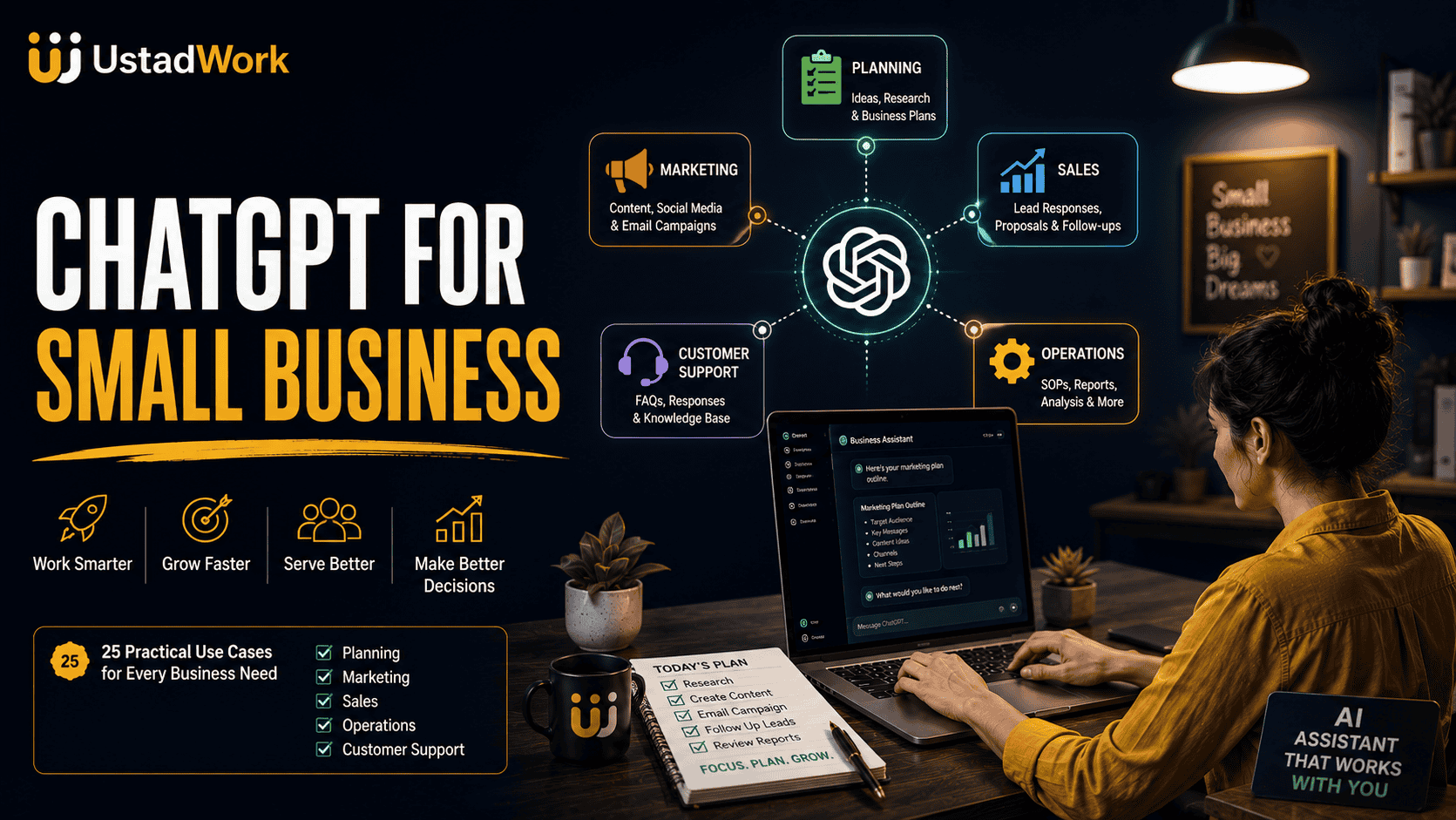
ChatGPT for Small Business: 25 Practical Use Cases and Workflows
Small-business owners often handle several roles at once. They may be responsible for marketing, sales, customer communication, operations, hiring, research, planning, reporting, and administration—sometimes without a large team.
ChatGPT can support parts of this work by turning business information into drafts, plans, summaries, analyses, checklists, and reusable working documents. It can help organise information and reduce time spent starting repetitive tasks from a blank page.
However, it should not be treated as an automatic business manager. It can misunderstand instructions, overlook context, produce unsupported claims, or create recommendations that still require professional review.
This guide explains how to use ChatGPT for small business through 25 practical workflows while keeping the owner or responsible team member in control.
When specialist implementation is required, you can post an AI or business project on UstadWork or browse relevant freelance services.
ChatGPT can support parts of this work by turning business information into drafts, plans, summaries, analyses, checklists, and reusable working documents. It can help organise information and reduce time spent starting repetitive tasks from a blank page.
However, it should not be treated as an automatic business manager. It can misunderstand instructions, overlook context, produce unsupported claims, or create recommendations that still require professional review.
This guide explains how to use ChatGPT for small business through 25 practical workflows while keeping the owner or responsible team member in control.
When specialist implementation is required, you can post an AI or business project on UstadWork or browse relevant freelance services.
Quick Answer: How Can a Small Business Use ChatGPT?
A small business can use ChatGPT to assist with:
Business research and planning.
Customer-persona development.
Website and marketing drafts.
Email campaigns.
Sales-call preparation.
Lead-response drafts.
Customer-support documentation.
Product descriptions.
Meeting summaries.
Standard operating procedures.
Spreadsheet analysis.
Weekly performance reporting.
Hiring materials.
Employee onboarding.
Freelance project briefs.
Workflow documentation.
The strongest use cases begin with reliable business information and produce an output that a person can review before it is published, sent, approved, or implemented.
Business research and planning.
Customer-persona development.
Website and marketing drafts.
Email campaigns.
Sales-call preparation.
Lead-response drafts.
Customer-support documentation.
Product descriptions.
Meeting summaries.
Standard operating procedures.
Spreadsheet analysis.
Weekly performance reporting.
Hiring materials.
Employee onboarding.
Freelance project briefs.
Workflow documentation.
The strongest use cases begin with reliable business information and produce an output that a person can review before it is published, sent, approved, or implemented.
ChatGPT Is an Assistant, Not an Automatic Business Owner
ChatGPT can help prepare work, but it does not automatically understand your customers, finances, legal obligations, operational limits, or business reputation.
Use it to:
Generate a structured first draft.
Organise rough notes.
Compare options.
Identify questions.
Summarise supplied information.
Prepare checklists.
Explore possible approaches.
Improve existing communication.
Do not allow it to independently:
Approve payments or refunds.
Set final prices.
File taxes.
Interpret legal obligations.
Make hiring or firing decisions.
Promise customer outcomes.
Publish unverified claims.
Change production systems.
Access confidential records without proper controls.
A responsible person should remain accountable for every important business action.
Use it to:
Generate a structured first draft.
Organise rough notes.
Compare options.
Identify questions.
Summarise supplied information.
Prepare checklists.
Explore possible approaches.
Improve existing communication.
Do not allow it to independently:
Approve payments or refunds.
Set final prices.
File taxes.
Interpret legal obligations.
Make hiring or firing decisions.
Promise customer outcomes.
Publish unverified claims.
Change production systems.
Access confidential records without proper controls.
A responsible person should remain accountable for every important business action.
ChatGPT vs Automation vs an AI Agent
These approaches can work together, but they are not the same.
ChatGPT assistance:
A person asks for a draft, analysis, explanation, or plan and then decides what to do with it.
Traditional automation:
A predefined rule completes a predictable action. For example, a form submission creates a new spreadsheet row.
AI agent:
A system may interpret a goal, select approved tools, take several actions, check results, and escalate when necessary.
Start with ChatGPT assistance when the process still requires frequent human judgement. Use automation for fixed and predictable steps. Consider an agent only when the workflow is well documented and requires controlled multi-step decisions.
Read what AI agents are and explore practical small-business agent use cases before automating higher-impact work.
ChatGPT assistance:
A person asks for a draft, analysis, explanation, or plan and then decides what to do with it.
Traditional automation:
A predefined rule completes a predictable action. For example, a form submission creates a new spreadsheet row.
AI agent:
A system may interpret a goal, select approved tools, take several actions, check results, and escalate when necessary.
Start with ChatGPT assistance when the process still requires frequent human judgement. Use automation for fixed and predictable steps. Consider an agent only when the workflow is well documented and requires controlled multi-step decisions.
Read what AI agents are and explore practical small-business agent use cases before automating higher-impact work.
Use a Small-Business Prompt Framework
A useful business prompt normally includes seven elements:
Business context: Explain what the company sells and who it serves.
Objective: State the exact result required.
Audience: Identify the customer, employee, partner, or decision-maker.
Inputs: Provide approved notes, documents, data, and examples.
Constraints: State what must not be invented, promised, or changed.
Output: Request the desired format and level of detail.
Review: Ask ChatGPT to identify assumptions, missing information, and facts requiring verification.
This structure makes the answer easier to inspect and reduces the need for ChatGPT to guess important business details.
Business context: Explain what the company sells and who it serves.
Objective: State the exact result required.
Audience: Identify the customer, employee, partner, or decision-maker.
Inputs: Provide approved notes, documents, data, and examples.
Constraints: State what must not be invented, promised, or changed.
Output: Request the desired format and level of detail.
Review: Ask ChatGPT to identify assumptions, missing information, and facts requiring verification.
This structure makes the answer easier to inspect and reduces the need for ChatGPT to guess important business details.
Copy-and-Paste Small-Business Prompt
You are supporting [Business Name], a [type of business] serving [target customers].

Business context:
[Explain the product, service, customer problem, location, and business model.]

Objective:
[State the exact useful result required.]

Use these inputs:
[Paste approved notes, data, documents, examples, policies, or customer information.]

Constraints:
- Do not invent prices, statistics, customer results, qualifications, or policies.
- Preserve confirmed facts and commitments.
- Ask questions when essential information is missing.
- Clearly label assumptions and recommendations.
- Mark legal, financial, medical, security, or compliance matters for professional review.

Output format:
[Specify the sections, table, checklist, email, plan, or report required.]

Before finalising:
Check the output for unsupported claims, missing details, inconsistencies, repetition, and risks.
Use Cases 1–5: Business Planning and Strategy
1. Evaluate a business idea
ChatGPT can help organise assumptions, target customers, alternatives, costs, risks, and unanswered questions.
Human checkpoint: Validate demand through real customer conversations, market evidence, and professional financial review.
2. Draft a customer persona
Human checkpoint: Do not allow the model to invent demographics or behaviour not supported by your research.
3. Prepare a competitor-research plan
Human checkpoint: Verify current competitor details directly from reliable sources.
4. Clarify a business offer
Human checkpoint: Confirm that every promise can be delivered consistently.
5. Create a business-plan outline
Human checkpoint: Have financial assumptions reviewed by an appropriately qualified professional.
ChatGPT can help organise assumptions, target customers, alternatives, costs, risks, and unanswered questions.
Review this business idea. Separate confirmed facts from assumptions. Identify the target customer, problem, alternatives, revenue options, major costs, risks, and the five most important questions to validate before investing.Human checkpoint: Validate demand through real customer conversations, market evidence, and professional financial review.
2. Draft a customer persona
Using these customer interviews and sales notes, draft two evidence-based customer personas. Include goals, problems, buying triggers, objections, preferred communication, and information that remains uncertain.Human checkpoint: Do not allow the model to invent demographics or behaviour not supported by your research.
3. Prepare a competitor-research plan
Create a competitor-research plan for this business. Include direct competitors, alternative solutions, customer segments, pricing approach, positioning, reviews, strengths, weaknesses, and reliable sources to check.Human checkpoint: Verify current competitor details directly from reliable sources.
4. Clarify a business offer
Turn this broad service description into a focused offer. Explain the target customer, problem, deliverables, expected business value, exclusions, proof required, and appropriate next step.Human checkpoint: Confirm that every promise can be delivered consistently.
5. Create a business-plan outline
Create a business-plan outline containing company overview, customer problem, solution, target market, competition, operations, marketing, sales, costs, revenue assumptions, risks, milestones, and information still required.Human checkpoint: Have financial assumptions reviewed by an appropriately qualified professional.
Use Cases 6–10: Marketing and Sales
6. Draft a website service page
7. Create a monthly content plan
Human checkpoint: Add real business experience, photographs, examples, and customer insights before publishing.
8. Prepare an email campaign
Human checkpoint: Review consent, unsubscribe, privacy, and applicable marketing requirements.
9. Prepare for a sales call
10. Draft a sales proposal
Human checkpoint: Verify the scope, timeline, fees, terms, and commitments before sending.
Draft a service page for this offer. Include the customer problem, service scope, process, trust elements, common objections, exclusions, and one clear call to action. Do not invent results, reviews, qualifications, or guarantees.7. Create a monthly content plan
Create a four-week content plan for this business. Balance educational, trust-building, product, customer-question, and conversion content. Adapt ideas to Facebook, Instagram, LinkedIn, and X.Human checkpoint: Add real business experience, photographs, examples, and customer insights before publishing.
8. Prepare an email campaign
Create a three-email sequence for customers interested in this service. Include one educational email, one objection-handling email, and one action-focused email. Use only the approved offer information.Human checkpoint: Review consent, unsubscribe, privacy, and applicable marketing requirements.
9. Prepare for a sales call
Using these prospect notes, create a discovery-call plan with the likely business goal, relevant questions, possible objections, unknown information, decision criteria, and an appropriate next step.10. Draft a sales proposal
Turn these approved discovery notes into a proposal draft with client objective, scope, deliverables, exclusions, milestones, client responsibilities, assumptions, risks, and next step. Leave prices and deadlines as clearly marked placeholders.Human checkpoint: Verify the scope, timeline, fees, terms, and commitments before sending.
Use Cases 11–15: Customers and Ecommerce
11. Prepare a new-lead response
12. Create a customer FAQ draft
13. Improve a customer-support response
Human checkpoint: Refunds, legal threats, account changes, safety issues, and unusual complaints should be reviewed by an authorised person.
14. Draft a public review response
15. Create product-description drafts
Human checkpoint: Verify product specifications, safety information, availability, and regulated claims before publication.
Draft a helpful response to this enquiry. Acknowledge the customer's goal, answer only what is supported by the service information, ask for missing requirements, and suggest the next step.12. Create a customer FAQ draft
Use these approved service details and policies to create customer FAQs. Do not add promises, exceptions, prices, or policies that are not present in the source material. List unanswered questions separately.13. Improve a customer-support response
Rewrite this support response so it is calm, clear, and helpful. Preserve all policy details exactly and separate the confirmed solution from anything requiring escalation.Human checkpoint: Refunds, legal threats, account changes, safety issues, and unusual complaints should be reviewed by an authorised person.
14. Draft a public review response
Draft a concise public response to this customer review. Acknowledge the experience without exposing private details, avoid arguing, and invite the customer to continue the conversation through an approved private channel.15. Create product-description drafts
Using only this approved product information, draft a clear product description covering the intended customer, main features, practical benefits, specifications, use instructions, and limitations. Do not invent performance claims.Human checkpoint: Verify product specifications, safety information, availability, and regulated claims before publication.
Use Cases 16–20: Operations, Data, and Reporting
16. Create a standard operating procedure
17. Turn meeting notes into action items
18. Analyse a spreadsheet
Human checkpoint: Verify formulas, totals, units, date ranges, and excluded records manually.
19. Prepare a weekly business report
20. Review inventory or operational information
Human checkpoint: A responsible person should approve purchasing, supplier, pricing, and inventory decisions.
Turn these process notes into a standard operating procedure with purpose, trigger, required inputs, responsible roles, step-by-step actions, quality checks, exceptions, escalation, final output, and review frequency.17. Turn meeting notes into action items
Organise these meeting notes into decisions, action items, owners, due dates, blockers, unresolved questions, and risks. Clearly separate confirmed decisions from suggestions.18. Analyse a spreadsheet
Inspect this spreadsheet. Explain the columns, identify missing values and duplicates, calculate the requested metrics, flag unusual records, and suggest questions to investigate before making decisions.Human checkpoint: Verify formulas, totals, units, date ranges, and excluded records manually.
19. Prepare a weekly business report
Turn this week's sales, marketing, customer-service, and operations data into a management report. Include important changes, possible explanations, limitations, risks, and decisions required.20. Review inventory or operational information
Review this inventory and order data. Identify low-stock items, slow-moving products, unusual demand changes, delayed orders, and questions requiring additional investigation. Do not create purchase orders.Human checkpoint: A responsible person should approve purchasing, supplier, pricing, and inventory decisions.
Use Cases 21–25: Teams, Hiring, and Automation
21. Draft a job description
22. Prepare interview questions
Human checkpoint: Hiring decisions require authorised human review and compliance with applicable employment rules.
23. Create employee onboarding material
24. Prepare a freelance project brief
Use our complete freelance project brief guide before publishing the requirement.
25. Map a possible automation workflow
Human checkpoint: Do not connect sensitive business systems until permissions, testing, logs, and rollback procedures are defined.
Create a realistic job description from these responsibilities. Include role purpose, outcomes, essential duties, required skills, preferred experience, working arrangement, reporting line, and application instructions. Avoid unnecessary requirements.22. Prepare interview questions
Create structured interview questions for this role. Include job-specific scenarios, evidence questions, communication, problem-solving, and a consistent scoring guide. Do not include questions about protected personal characteristics.Human checkpoint: Hiring decisions require authorised human review and compliance with applicable employment rules.
23. Create employee onboarding material
Turn these approved policies and process notes into a seven-day onboarding plan with learning objectives, system access, required reading, practice tasks, review checkpoints, and responsible team members.24. Prepare a freelance project brief
Create a freelance project brief containing business objective, users, deliverables, exclusions, available assets, required skills, integrations, timeline, approval criteria, security requirements, and final handoff.Use our complete freelance project brief guide before publishing the requirement.
25. Map a possible automation workflow
Map this repeated business process. Identify the trigger, inputs, decisions, tools, actions, approvals, exceptions, risks, and measurable outcome. Recommend which steps should remain manual, use fixed automation, or use AI assistance.Human checkpoint: Do not connect sensitive business systems until permissions, testing, logs, and rollback procedures are defined.
Use Projects for Recurring Business Work
For ongoing work, keep related chats, business files, examples, and instructions together where the available ChatGPT workspace supports this.
A project may contain:
Brand guidelines.
Service descriptions.
Product information.
Customer personas.
Approved marketing claims.
Frequently asked questions.
Standard operating procedures.
Reporting definitions.
Previous examples.
Project-specific instructions.
Example project instruction:
Review stored information regularly so outdated files do not continue influencing new work.
A project may contain:
Brand guidelines.
Service descriptions.
Product information.
Customer personas.
Approved marketing claims.
Frequently asked questions.
Standard operating procedures.
Reporting definitions.
Previous examples.
Project-specific instructions.
Example project instruction:
Write for U.S. small-business owners. Use clear professional English. Do not invent prices, customer results, policies, certifications, or statistics. Ask for missing information and mark claims requiring verification.Review stored information regularly so outdated files do not continue influencing new work.
Create an Approved Business Knowledge Base
ChatGPT produces more useful drafts when the business maintains clear and reliable information.
Prepare approved versions of:
Product and service information.
Prices or pricing rules.
Business hours.
Return and cancellation policies.
Customer-support procedures.
Brand voice guidelines.
Common customer questions.
Sales qualification rules.
Escalation conditions.
Legal and compliance notices approved by a professional.
Standard templates.
Assign an owner and review date to important documents. Remove duplicate, contradictory, or outdated versions.
Prepare approved versions of:
Product and service information.
Prices or pricing rules.
Business hours.
Return and cancellation policies.
Customer-support procedures.
Brand voice guidelines.
Common customer questions.
Sales qualification rules.
Escalation conditions.
Legal and compliance notices approved by a professional.
Standard templates.
Assign an owner and review date to important documents. Remove duplicate, contradictory, or outdated versions.
Ask ChatGPT to Challenge Its Own Draft
Do not stop after the first response. Use follow-up prompts such as:
This does not guarantee correctness, but it makes weak assumptions easier to find.
Which statements came directly from my information?Which statements are assumptions?What important information is missing?Which claims require verification?What could make this recommendation wrong?What risks have not been considered?Show a lower-cost alternative.Show a simpler alternative.What would an experienced business owner challenge?This does not guarantee correctness, but it makes weak assumptions easier to find.
Build Human Approval Into Important Work
Use human approval before a ChatGPT-supported output affects:
Money.
Contracts.
Taxes.
Customer rights.
Employee decisions.
Public claims.
Health or safety.
Private information.
Production systems.
Account access.
Refunds.
Regulated products or services.
A reliable approval process includes:
The original request.
The source information used.
The generated draft.
Assumptions and uncertainties.
The proposed action.
The person authorised to approve it.
A record of the final decision.
The person approving the work should understand the subject and remain accountable for the outcome.
Money.
Contracts.
Taxes.
Customer rights.
Employee decisions.
Public claims.
Health or safety.
Private information.
Production systems.
Account access.
Refunds.
Regulated products or services.
A reliable approval process includes:
The original request.
The source information used.
The generated draft.
Assumptions and uncertainties.
The proposed action.
The person authorised to approve it.
A record of the final decision.
The person approving the work should understand the subject and remain accountable for the outcome.
Protect Customer and Business Information
Do not upload sensitive information only because it would make a prompt more convenient.
Remove or anonymise where possible:
Passwords and API keys.
Banking and credit-card information.
Government identification numbers.
Private customer records.
Medical information.
Payroll information.
Confidential legal documents.
Unreleased product plans.
Production credentials.
Employee disciplinary information.
Personally identifiable information not required for the task.
Review your account settings, subscription type, internal policies, contracts, retention requirements, and applicable privacy laws before using business data with any external AI system.
Remove or anonymise where possible:
Passwords and API keys.
Banking and credit-card information.
Government identification numbers.
Private customer records.
Medical information.
Payroll information.
Confidential legal documents.
Unreleased product plans.
Production credentials.
Employee disciplinary information.
Personally identifiable information not required for the task.
Review your account settings, subscription type, internal policies, contracts, retention requirements, and applicable privacy laws before using business data with any external AI system.
Measure Whether ChatGPT Creates Business Value
Do not measure value only by how quickly the first draft appears.
Before starting, record the manual workflow:
Time required.
People involved.
Error and rework rate.
Customer-response time.
Output quality.
Cost.
Number of completed tasks.
Business result influenced.
After using ChatGPT, measure the same factors plus:
Prompt-preparation time.
Human-review time.
Corrections required.
Unsupported claims found.
Privacy or security concerns.
Consistency across different cases.
A useful workflow should improve a meaningful result without creating unacceptable risk or additional correction work.
Before starting, record the manual workflow:
Time required.
People involved.
Error and rework rate.
Customer-response time.
Output quality.
Cost.
Number of completed tasks.
Business result influenced.
After using ChatGPT, measure the same factors plus:
Prompt-preparation time.
Human-review time.
Corrections required.
Unsupported claims found.
Privacy or security concerns.
Consistency across different cases.
A useful workflow should improve a meaningful result without creating unacceptable risk or additional correction work.
ChatGPT Small-Business ROI Worksheet
Use this simple framework:
Task: Which repeated task is being supported?
Current frequency: How often is it completed?
Manual time: How many minutes or hours does it take?
AI-assisted time: How much time is required after implementation?
Review time: How long does verification take?
Error cost: What is the impact of an incorrect output?
Tool cost: What software or implementation expense is involved?
Business benefit: Does it improve capacity, quality, response speed, sales support, or another measurable outcome?
Evaluate the total process—not only the software subscription.
Task: Which repeated task is being supported?
Current frequency: How often is it completed?
Manual time: How many minutes or hours does it take?
AI-assisted time: How much time is required after implementation?
Review time: How long does verification take?
Error cost: What is the impact of an incorrect output?
Tool cost: What software or implementation expense is involved?
Business benefit: Does it improve capacity, quality, response speed, sales support, or another measurable outcome?
Evaluate the total process—not only the software subscription.
A 30-Day ChatGPT Small-Business Plan
Days 1–5: Select the workflow
Choose one repeated, low-risk task and document how it is completed today.
Days 6–10: Prepare information
Collect approved examples, policies, business facts, and output standards.
Days 11–15: Create and test the prompt
Test normal requests, incomplete information, unusual cases, and misleading inputs.
Days 16–20: Run supervised real work
Use ChatGPT for a small number of tasks while a person checks every result.
Days 21–25: Improve the workflow
Correct weak instructions, outdated sources, missing constraints, and repeated errors.
Days 26–30: Evaluate the result
Compare time, quality, review effort, cost, errors, and business impact with the original process.
Expand only when the workflow produces consistent value and the business can maintain it.
Choose one repeated, low-risk task and document how it is completed today.
Days 6–10: Prepare information
Collect approved examples, policies, business facts, and output standards.
Days 11–15: Create and test the prompt
Test normal requests, incomplete information, unusual cases, and misleading inputs.
Days 16–20: Run supervised real work
Use ChatGPT for a small number of tasks while a person checks every result.
Days 21–25: Improve the workflow
Correct weak instructions, outdated sources, missing constraints, and repeated errors.
Days 26–30: Evaluate the result
Compare time, quality, review effort, cost, errors, and business impact with the original process.
Expand only when the workflow produces consistent value and the business can maintain it.
Common Small-Business ChatGPT Mistakes
Avoid these problems:
Starting without a defined business outcome: The response may be interesting but unusable.
Using vague prompts: ChatGPT must guess the customer, offer, and objective.
Providing outdated information: Old policies appear in new drafts.
Publishing the first response: Unsupported claims and weak assumptions remain.
Uploading confidential data: Privacy and contractual risks increase.
Automating before documenting the process: Mistakes become more difficult to control.
Using AI for regulated decisions: Necessary professional review is removed.
Creating generic content at scale: The business loses originality and trust.
Ignoring customer context: The draft sounds polished but does not solve the real problem.
Measuring only time saved: Accuracy, risk, and correction work are ignored.
Starting without a defined business outcome: The response may be interesting but unusable.
Using vague prompts: ChatGPT must guess the customer, offer, and objective.
Providing outdated information: Old policies appear in new drafts.
Publishing the first response: Unsupported claims and weak assumptions remain.
Uploading confidential data: Privacy and contractual risks increase.
Automating before documenting the process: Mistakes become more difficult to control.
Using AI for regulated decisions: Necessary professional review is removed.
Creating generic content at scale: The business loses originality and trust.
Ignoring customer context: The draft sounds polished but does not solve the real problem.
Measuring only time saved: Accuracy, risk, and correction work are ignored.
When to Hire a ChatGPT or AI Specialist
ChatGPT can help you prepare the requirements for a project, but professional implementation may be necessary when the workflow involves:
Several business applications.
APIs and webhooks.
Customer or confidential information.
Custom chatbots.
CRM or email automation.
Database access.
AI agents.
Security and permissions.
Testing and monitoring.
High-volume content quality assurance.
Ongoing maintenance.
A capable specialist should explain the business process, required data, system access, human approvals, testing, security, costs, documentation, and handoff.
Read our freelancer hiring guide, then post your AI project or compare available specialists.
Several business applications.
APIs and webhooks.
Customer or confidential information.
Custom chatbots.
CRM or email automation.
Database access.
AI agents.
Security and permissions.
Testing and monitoring.
High-volume content quality assurance.
Ongoing maintenance.
A capable specialist should explain the business process, required data, system access, human approvals, testing, security, costs, documentation, and handoff.
Read our freelancer hiring guide, then post your AI project or compare available specialists.
ChatGPT for Small Business Checklist
Before using a workflow, confirm that:
The business objective is clearly defined.
The task is suitable for AI assistance.
The source information is current and approved.
The prompt defines context, objective, audience, constraints, and output.
Unsupported claims are prohibited.
Important information will be verified.
Sensitive data has been removed or protected.
A responsible person reviews the final result.
The process has been tested on different cases.
Errors and corrections are recorded.
Time, cost, quality, and business impact are measured.
The workflow has an owner and review schedule.
For implementation support, post your requirements, browse professional services, or review the UstadWork FAQ.
The business objective is clearly defined.
The task is suitable for AI assistance.
The source information is current and approved.
The prompt defines context, objective, audience, constraints, and output.
Unsupported claims are prohibited.
Important information will be verified.
Sensitive data has been removed or protected.
A responsible person reviews the final result.
The process has been tested on different cases.
Errors and corrections are recorded.
Time, cost, quality, and business impact are measured.
The workflow has an owner and review schedule.
For implementation support, post your requirements, browse professional services, or review the UstadWork FAQ.
Use ChatGPT to Expand Capacity Without Losing Control
ChatGPT can help small businesses research ideas, improve communication, prepare marketing drafts, organise operations, analyse information, document processes, and plan new projects.
The greatest value usually comes from improving one clearly defined workflow instead of trying to automate the entire company at once.
Provide reliable business information, request a specific result, challenge assumptions, protect private data, and keep a responsible person in control of important decisions.
The strongest approach to ChatGPT for small business combines AI assistance with real customer knowledge, professional expertise, human review, and measurable business outcomes.
Continue with 30 practical ChatGPT workplace use cases, explore AI agents for small businesses, or post an AI implementation project on UstadWork.
The greatest value usually comes from improving one clearly defined workflow instead of trying to automate the entire company at once.
Provide reliable business information, request a specific result, challenge assumptions, protect private data, and keep a responsible person in control of important decisions.
The strongest approach to ChatGPT for small business combines AI assistance with real customer knowledge, professional expertise, human review, and measurable business outcomes.
Continue with 30 practical ChatGPT workplace use cases, explore AI agents for small businesses, or post an AI implementation project on UstadWork.
Frequently asked questions
How can a small business use ChatGPT?
A small business can use ChatGPT for planning, research, marketing drafts, lead responses, customer FAQs, product descriptions, meeting summaries, procedures, spreadsheet analysis, reports, hiring materials, and project briefs.
What is the best first ChatGPT use case for a small business?
Begin with a frequent, low-risk, and easily reviewed task such as drafting meeting summaries, improving emails, creating content outlines, or documenting a standard operating procedure.
Can ChatGPT write a business plan?
ChatGPT can help organise a business-plan draft, assumptions, research questions, risks, and missing information. Market evidence, financial projections, and legal details still require independent verification.
Can ChatGPT handle customer service?
ChatGPT can help draft FAQs and support replies using approved policies. Complaints, refunds, legal threats, account changes, safety concerns, and unusual cases should be reviewed by an authorised person.
Can I upload confidential business information to ChatGPT?
Review your account controls, subscription type, organisation policies, contracts, and privacy requirements first. Remove or anonymise sensitive information that is not necessary for the task.
Can ChatGPT automate a small business?
ChatGPT can assist with many individual tasks, but full automation normally requires documented workflows, integrations, permissions, testing, monitoring, human approval, and specialist implementation.